



Managing your earnings through the Lalamove Wallet makes payouts faster and more convenient. Knowing how to cash out properly ensures you always have quick access to your funds when you need them.
In this guide, we’ll walk you through how to cash out from your Lalamove Wallet to your bank account in just a few easy steps.
Why Use the Lalamove Wallet?
The Lalamove Wallet helps you:
-
Track completed orders and earnings
-
Manage balance in real time
-
Receive quicker payouts
-
Avoid delays from manual processing
Once you’re ready to transfer your balance to your bank, just follow the steps below.
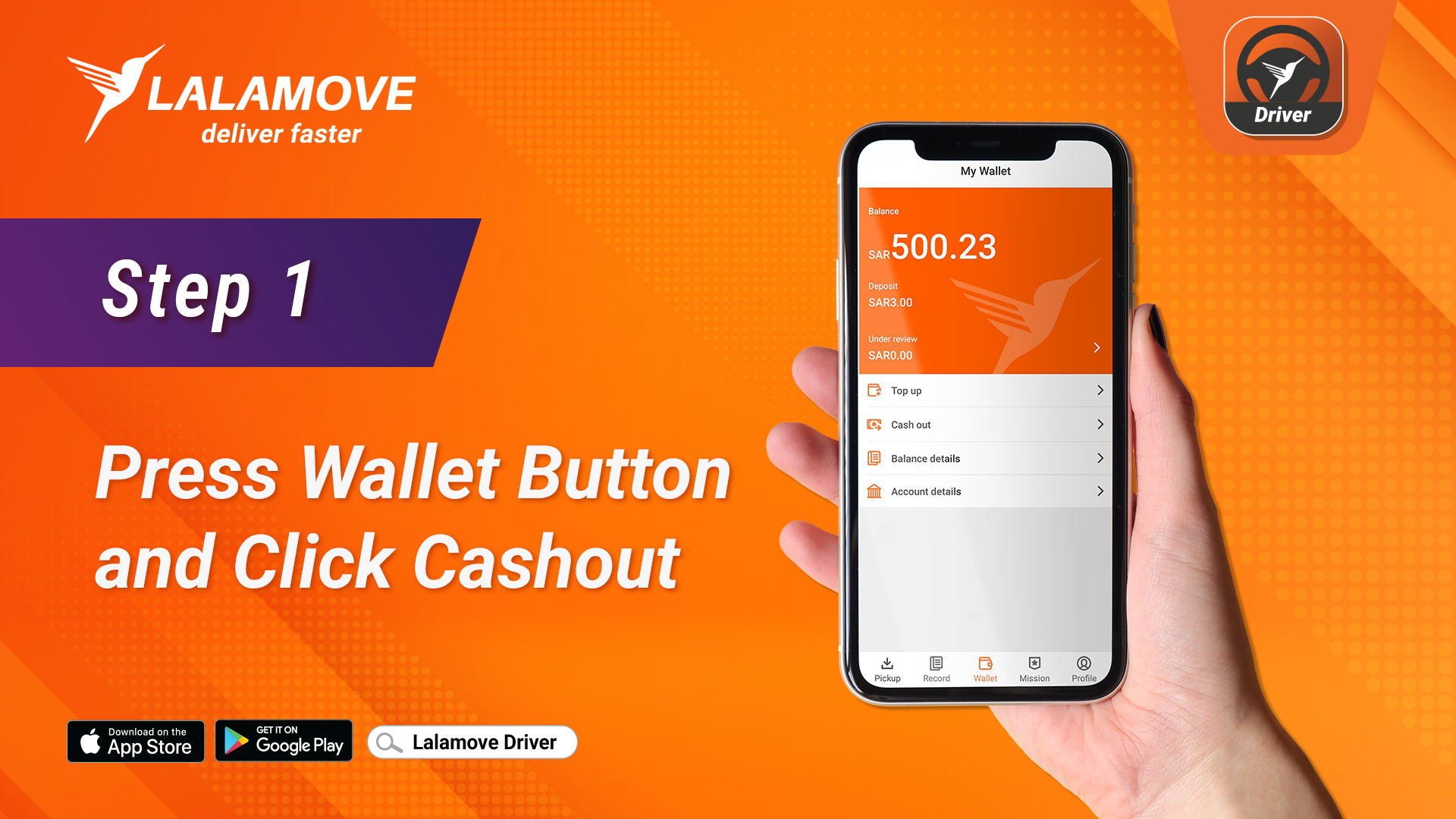
Step 1: Press the Wallet Button and Click “Cash Out”
Open your Lalamove app and go to the Wallet section on the homepage. You will see your total available balance. Tap on Cash Out to start the withdrawal process.
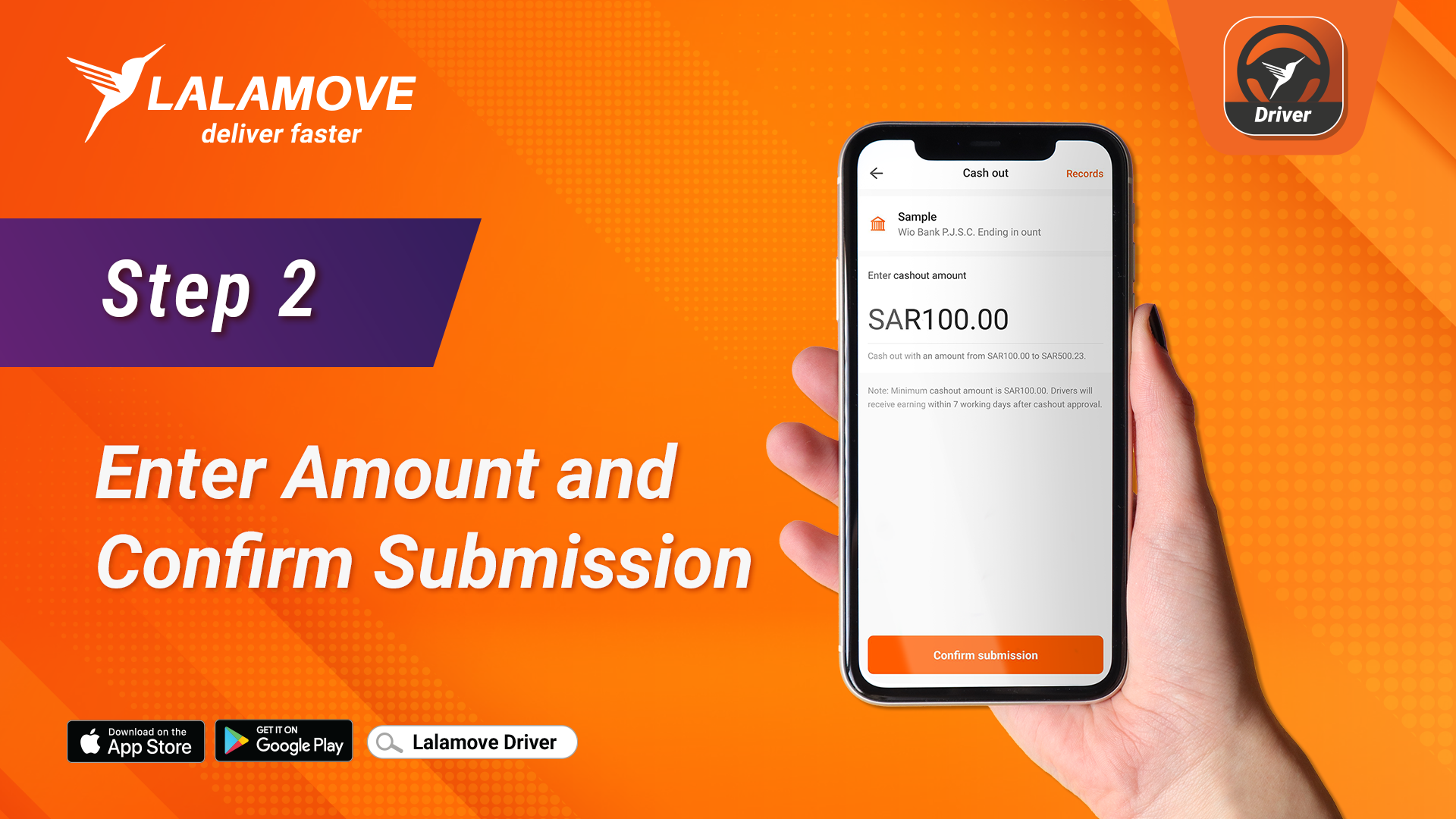
Step 2: Enter the Amount and Confirm Submission
Type in the amount you want to cash out. Make sure it does not exceed your available balance. Once entered, hit Confirm to submit your cash out request.
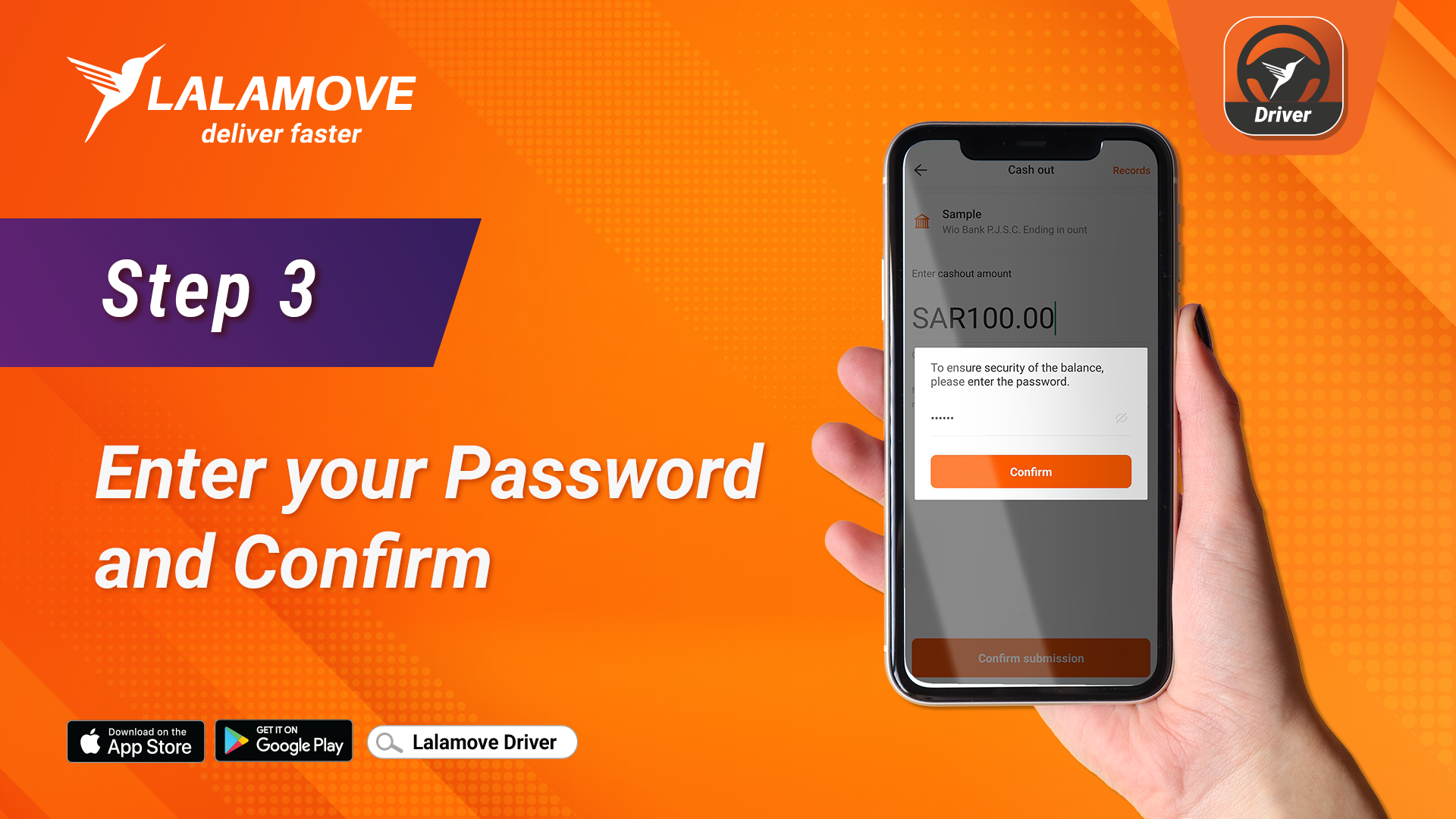
Step 3: Enter Your Password and Confirm
For security reasons, Lalamove will ask you to verify your identity. Enter your account password and press Confirm to proceed.
Step 4: Cash out Request Complete
That’s it!
Your cash out request has been successfully submitted.
Funds will be transferred to your registered bank account within the standard processing time. You’ll also receive a notification once the transfer is completed.
Tips for Smooth Cash Outs
-
Ensure your bank account details are updated and correct.
-
Check your available balance before cashing out.
-
Make sure you have a stable internet connection.
-
Keep your app updated to avoid any errors.
Next: Read our guide on How to Register as a Lalamove Driver


