
Landing Page LLM Sticker 2400 AED

Join the Lalamove Sticker Program

Get priority orders. Earn more.

With the Lalamove Sticker Program, you get exclusive perks that help you earn more with every delivery.
 

What Is the Lalamove Sticker Program?

The Lalamove Sticker Program is designed for active driver partners who want to grow their income and get better order opportunities. Once your vehicle is branded with the Lalamove sticker, you’ll receive exclusive perks and higher visibility on the platform — at no upfront cost to you.
Lalamove covers all necessary approvals and registration updates, including:
  • RTA Approval
  • Data Test
  • Registration Card Update
 

Who Can Join?

The Lalamove Sticker Program is open to drivers operating the following vehicles:
  • Fence / Box Truck (1 Ton)
  • Fence / Box Truck (3 Ton)
  • Fence / Box Truck (5 Ton)
  • Van
 

Benefits of Joining the Sticker Program

Here’s what you’ll gain once your sticker is installed:
  • AED 2,400 Compensation - AED 200 paid every month. 
  • Contract Priority – Be the first choice for monthly or yearly delivery contracts.
  • Professional Brand Image – Boost customer trust with an official Lalamove-branded vehicle.


How to Schedule Your Sticker Installation


S1-Oct-21-2025-12-18-01-8512-PM
1
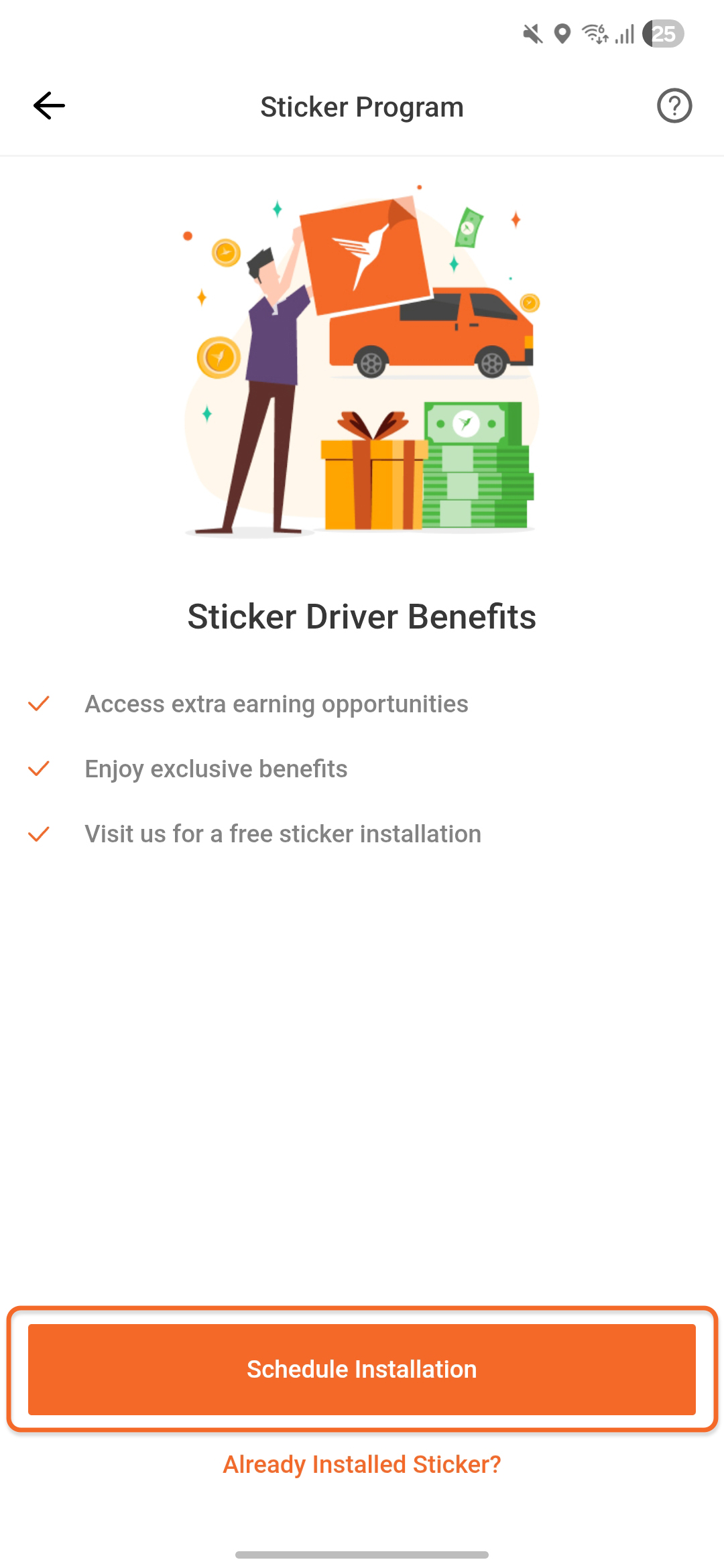
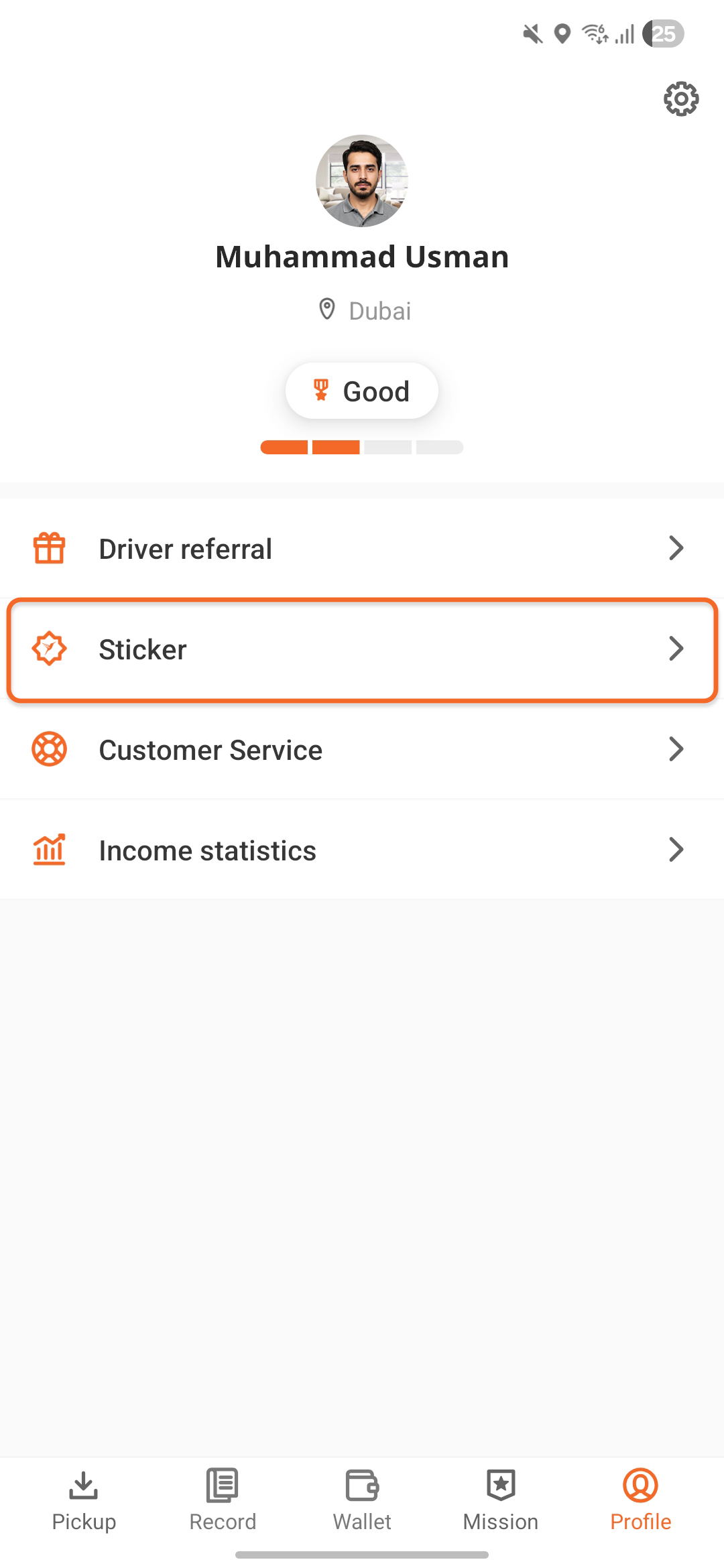
Open the Lalamove Driver App
Go to your Profile and tap Sticker.
S2-Oct-21-2025-12-18-03-5929-PM
2
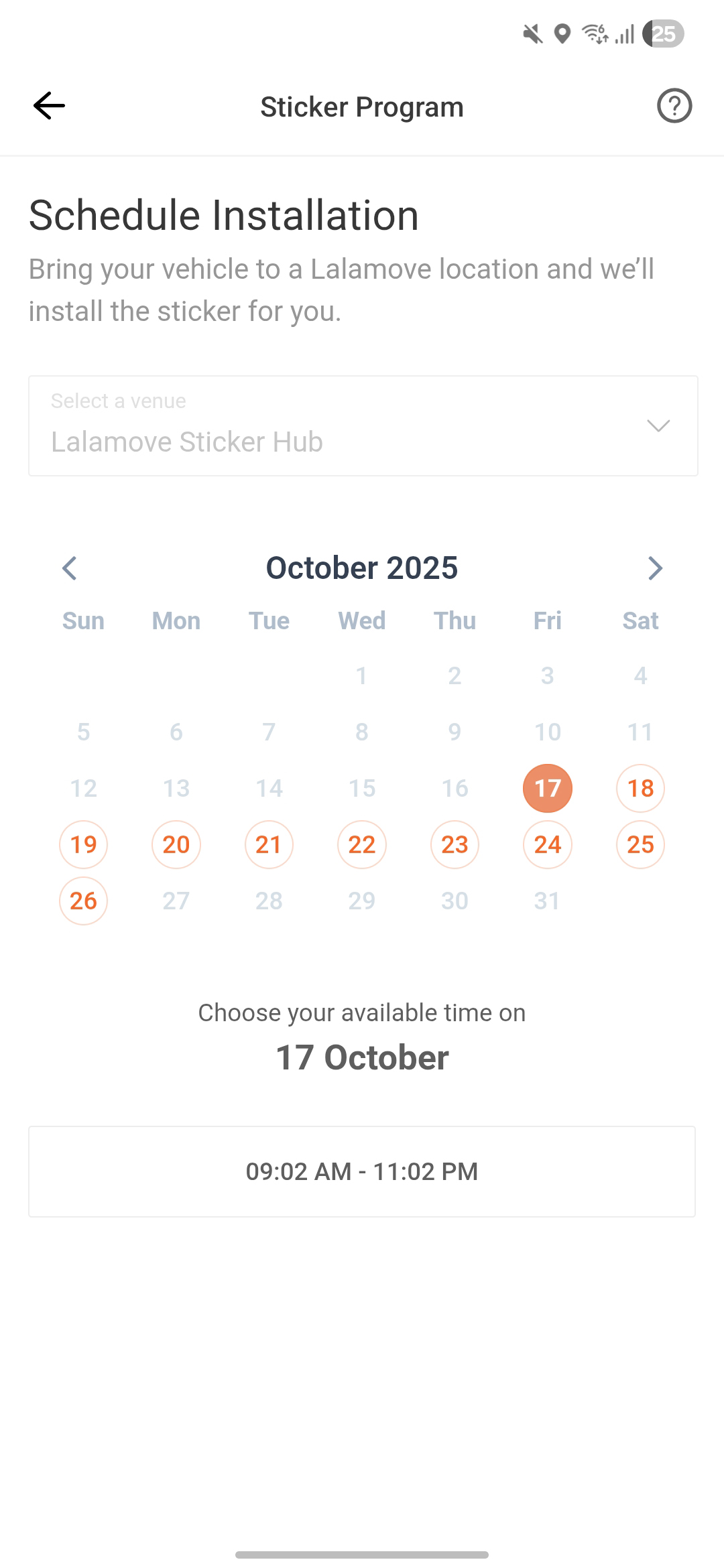
Pick a Date & Time
Select the slot that works best for you
S3-Oct-21-2025-12-18-02-0445-PM
3
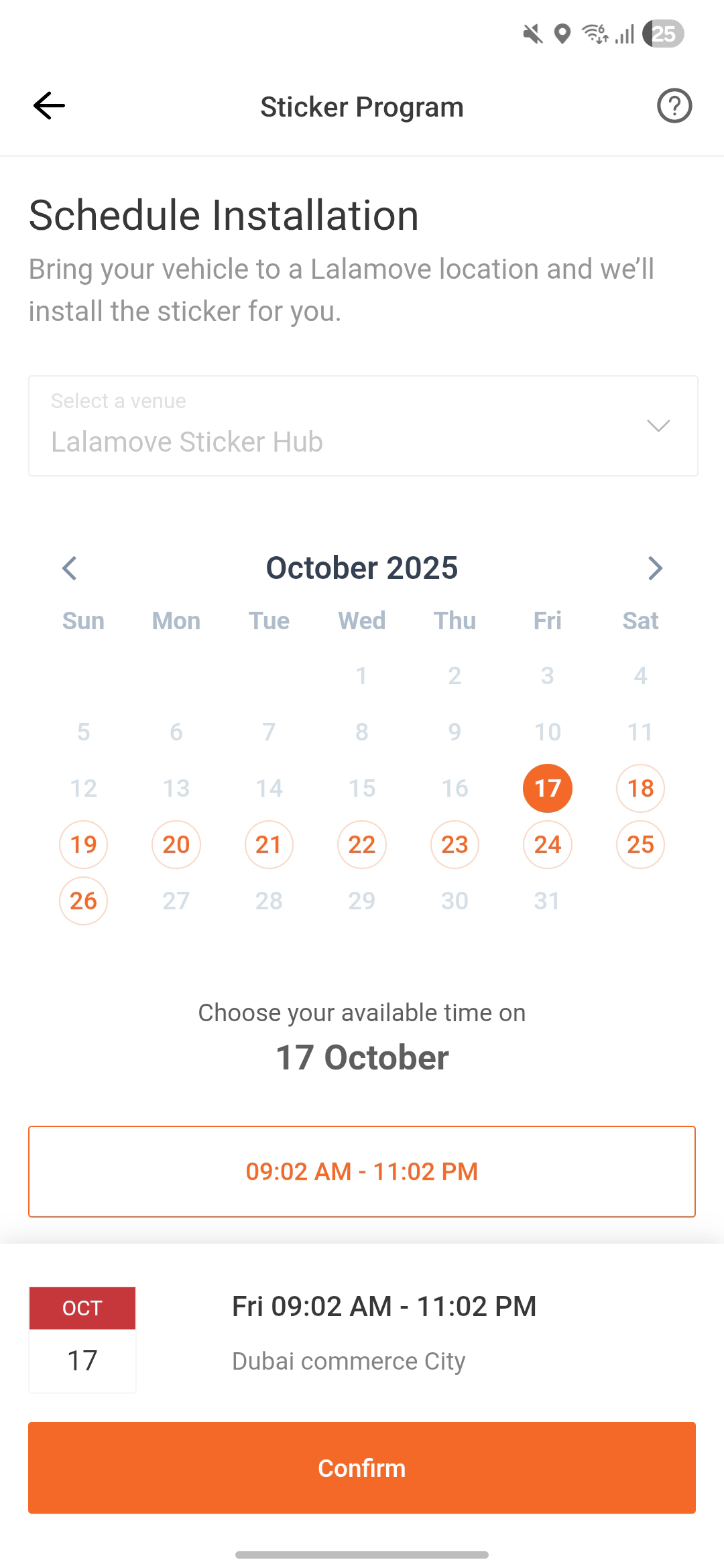
Confirm Your Booking
Tap Confirm to finalise your sticker installation appointment.
S4-Oct-21-2025-12-18-02-0445-PM
4
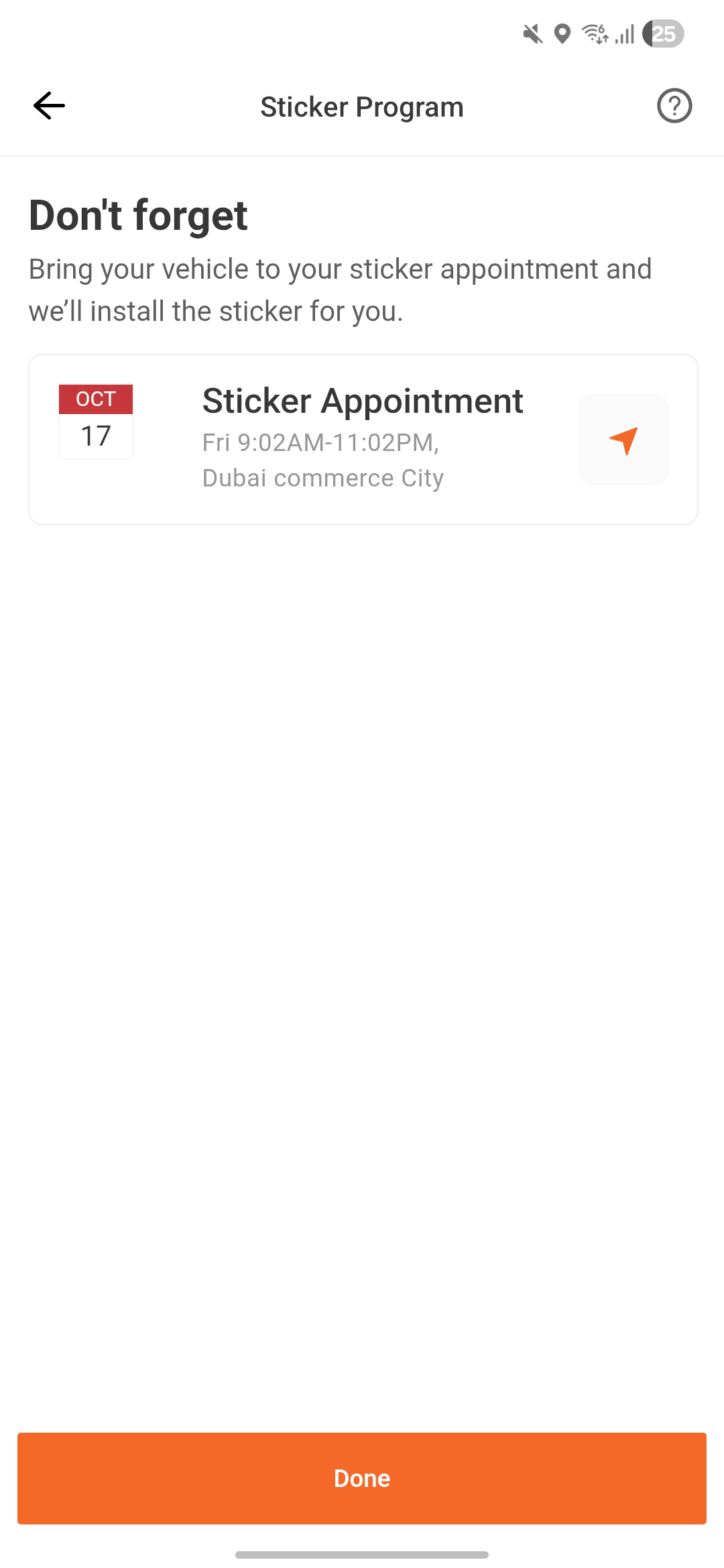
Visit the Lalamove Driver Centre for Installation
Make sure to visit the centre on the selected time & date for sticker installation.
S5-1
5
Renew the sticker contract
If you already have a sticker and want to continue receiving benefits, simply click "Already Installed Sticker?" to renew your contract.
1
Open the Lalamove Driver App
Go to your Profile and tap Sticker.
2
Pick a Date & Time
Select the slot that works best for you
3
Confirm Your Booking
Tap Confirm to finalise your sticker installation appointment.
4
Visit the Lalamove Driver Centre for Installation
Make sure to visit the centre on the selected time & date for sticker installation.
5
Renew the sticker contract
If you already have a sticker and want to continue receiving benefits, simply click "Already Installed Sticker?" to renew your contract.

Upload Your Sticker Photos

Get Started

Complete your first order of the month and get ready to submit your photos.
 

S1-Oct-21-2025-01-06-18-1755-PM
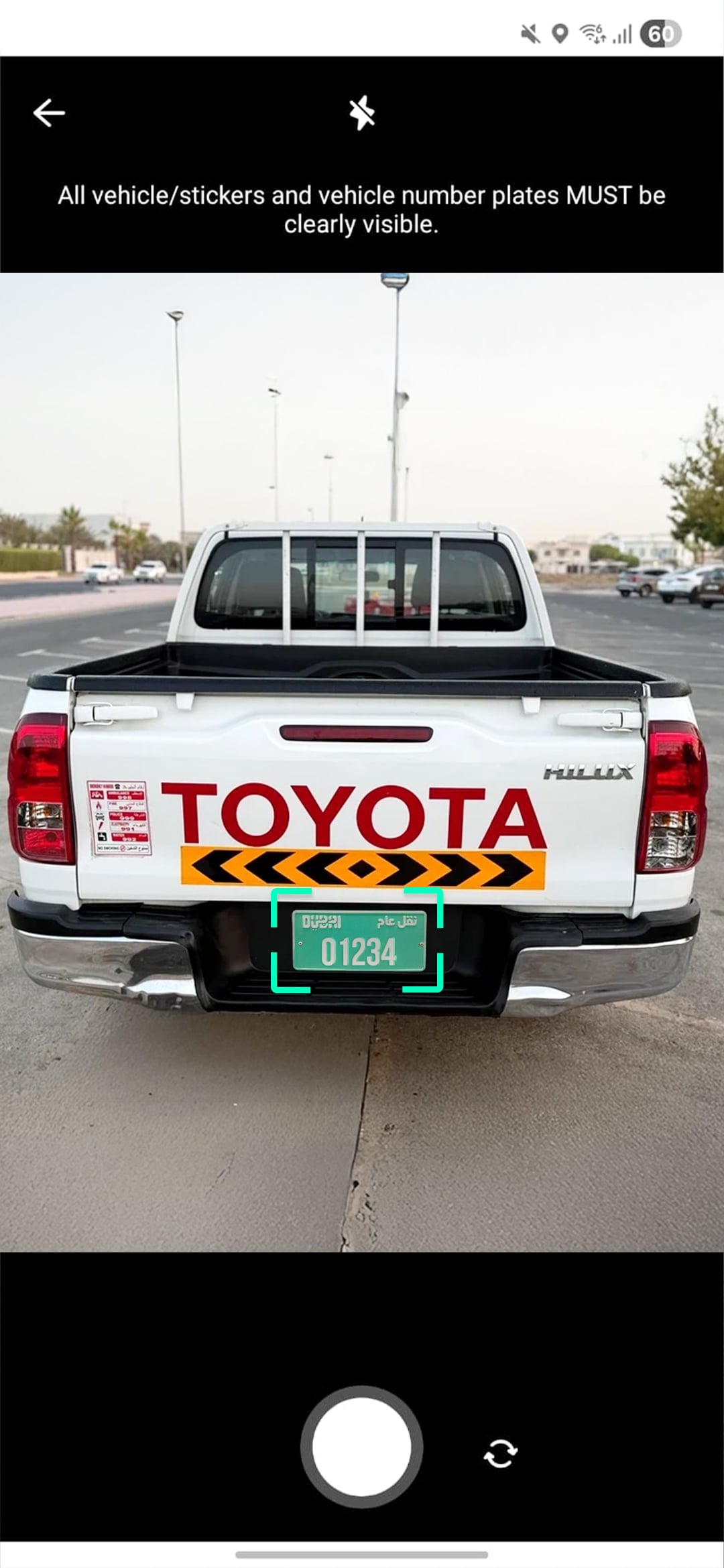
1
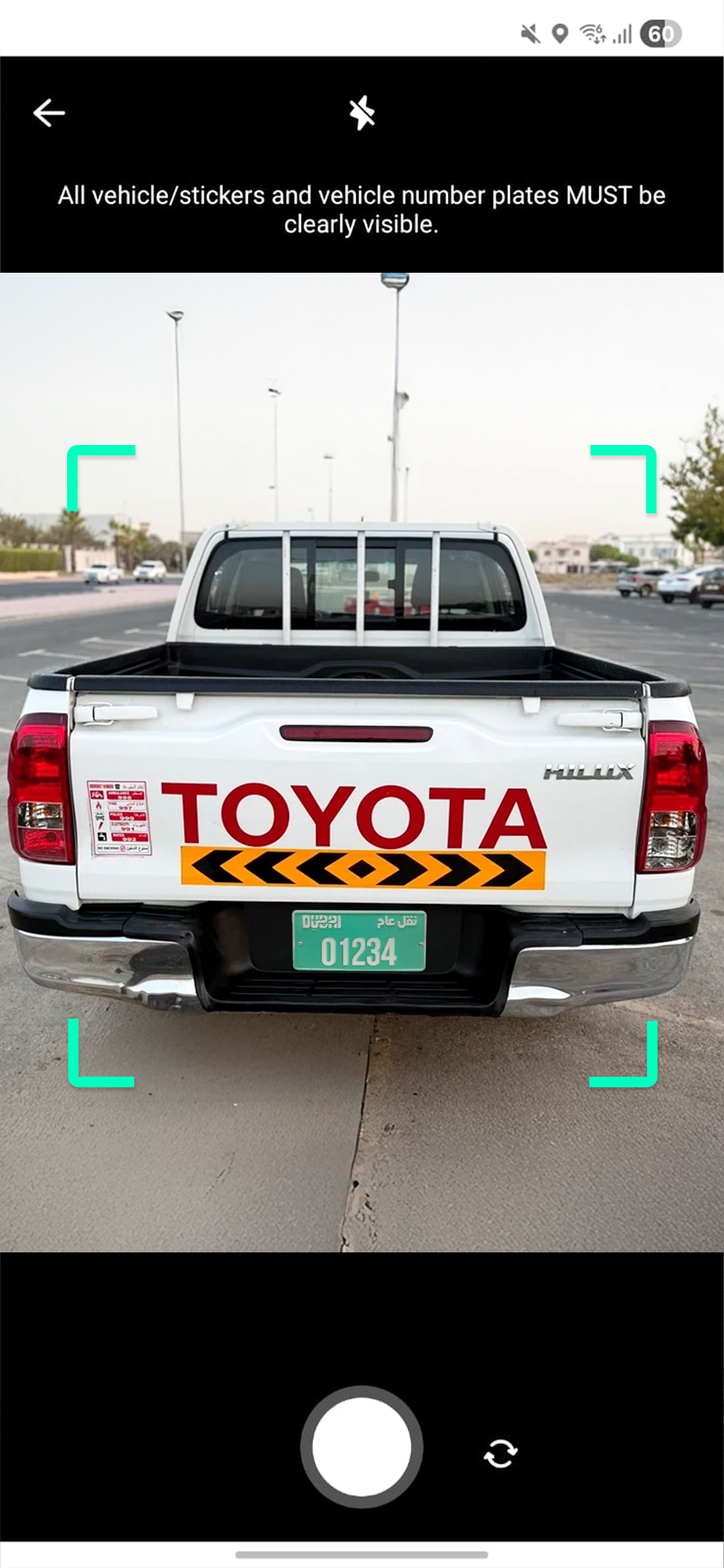
Point the Camera at Your Vehicle
Point the camera at your vehicle to clearly show the plate number. Follow the instructions to know which angle to take the photos from
S2-Oct-21-2025-01-06-17-8250-PM
2
Take the Photo
When the AI camera has detected the number plate, take the photo.
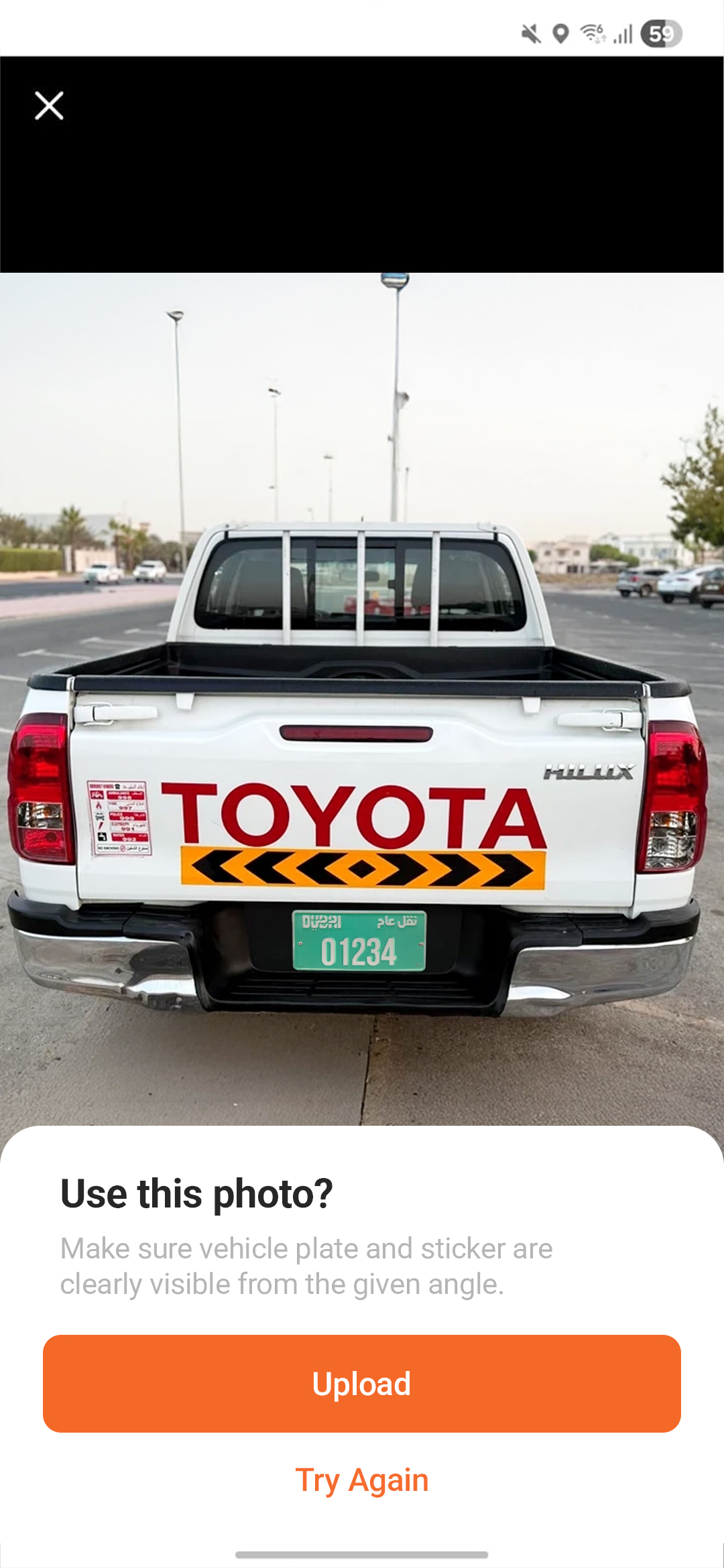
S3-Oct-21-2025-01-06-17-8267-PM
3
Upload the Photo
When the vehicle shows the clear number plate, click "Upload"
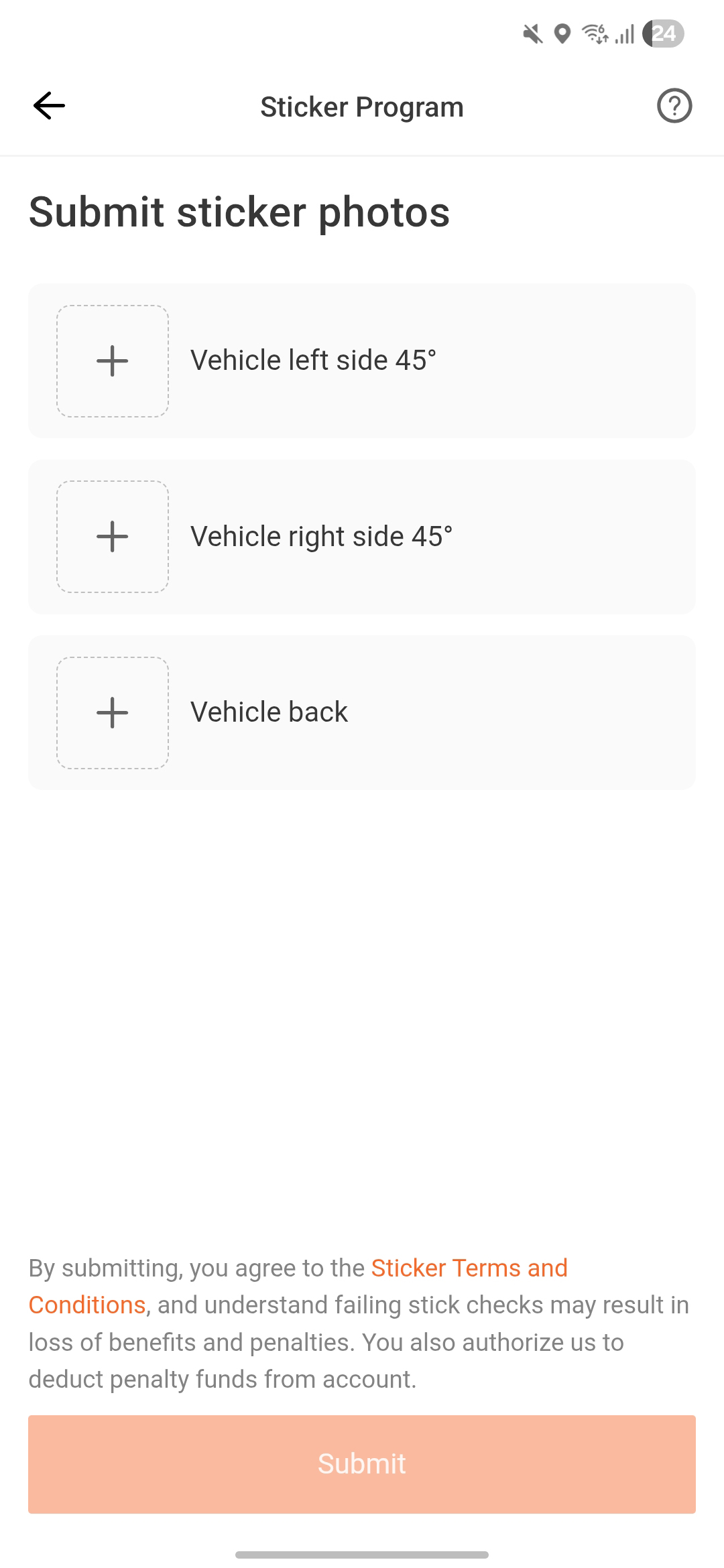
S4-Oct-21-2025-01-06-17-1536-PM
4
Upload More Photos
Complete sticker retention checks by uploading all required photos.
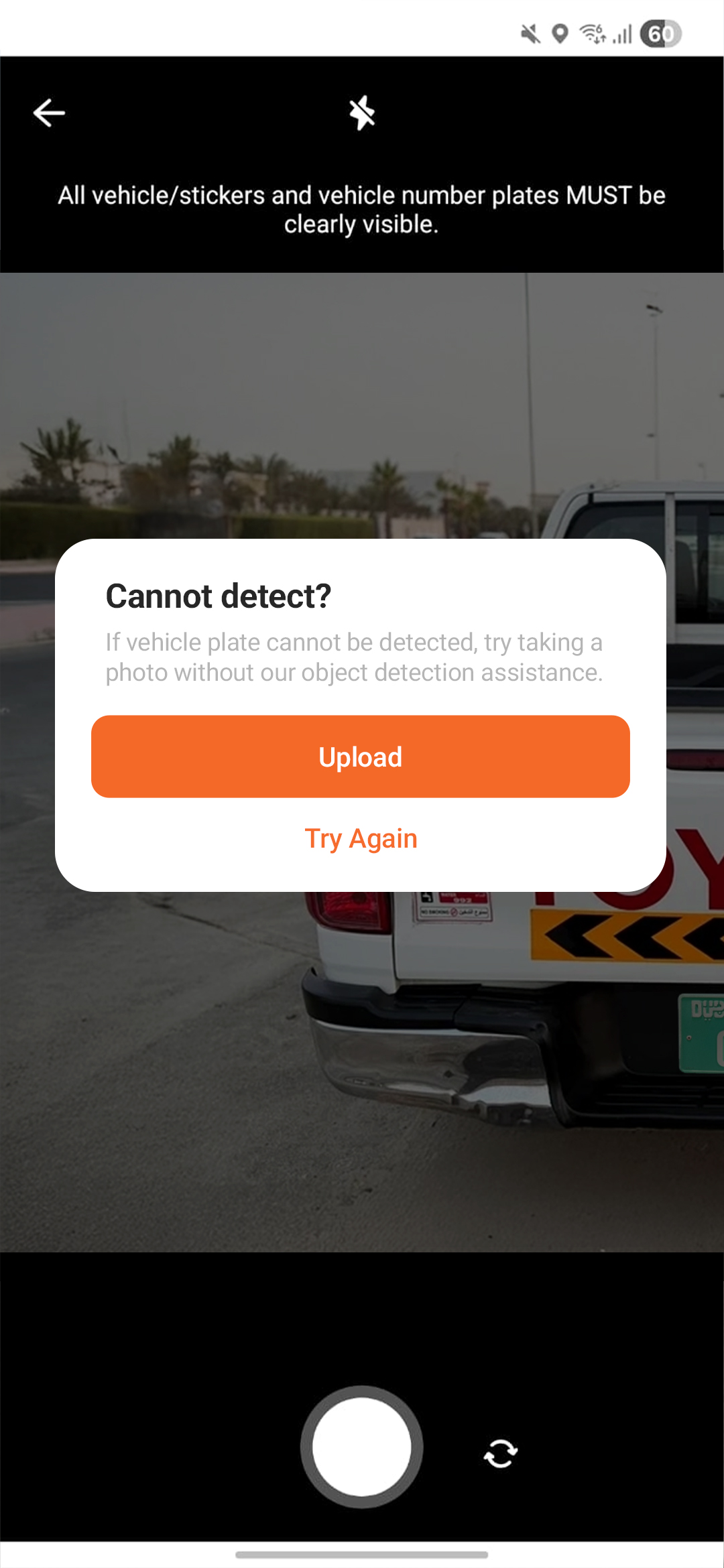
S5-Oct-21-2025-01-06-17-2480-PM
5
Failed Detection
If the AI camera fails to detect the vehicle number plate, try taking a photo without the AI camera. This provides a backup method to ensure your submission is complete.
1
Point the Camera at Your Vehicle
Point the camera at your vehicle to clearly show the plate number. Follow the instructions to know which angle to take the photos from
2
Take the Photo
When the AI camera has detected the number plate, take the photo.
3
Upload the Photo
When the vehicle shows the clear number plate, click "Upload"
4
Upload More Photos
Complete sticker retention checks by uploading all required photos.
5
Failed Detection
If the AI camera fails to detect the vehicle number plate, try taking a photo without the AI camera. This provides a backup method to ensure your submission is complete.

Join us as a Delivery Partner

Download our driver app to earn extra income.