


Want to save instantly on your Lalamove delivery? Here's how to use a promo code during the actual order placement process - step-by-step.
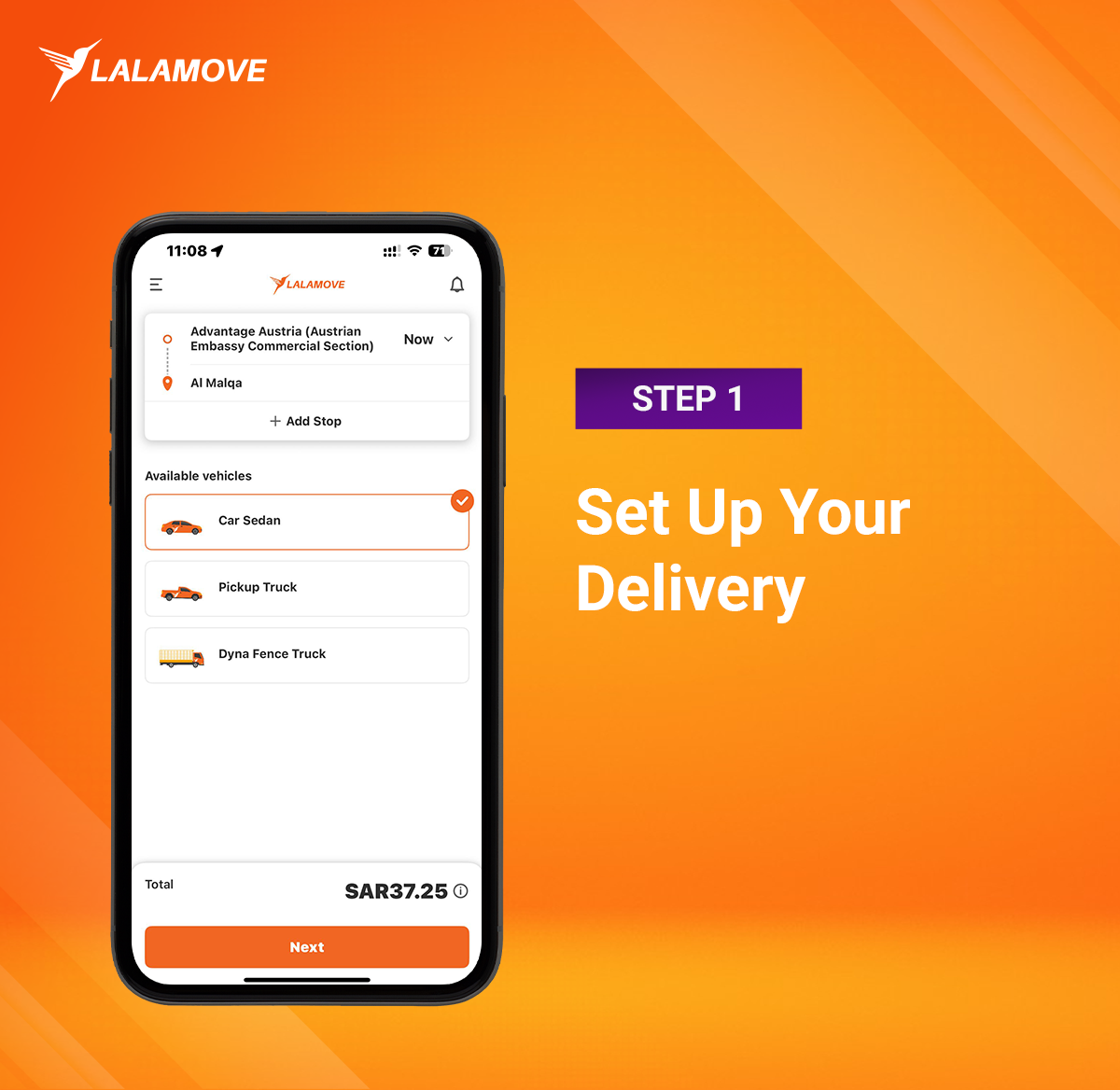
Step 1: Set Up Your Delivery
Enter your pick-up and drop-off addresses Choose your preferred vehicle type (Sedan, Pick-up, Van or Dyna Truck)Select the delivery time (Now or Schedule for later)
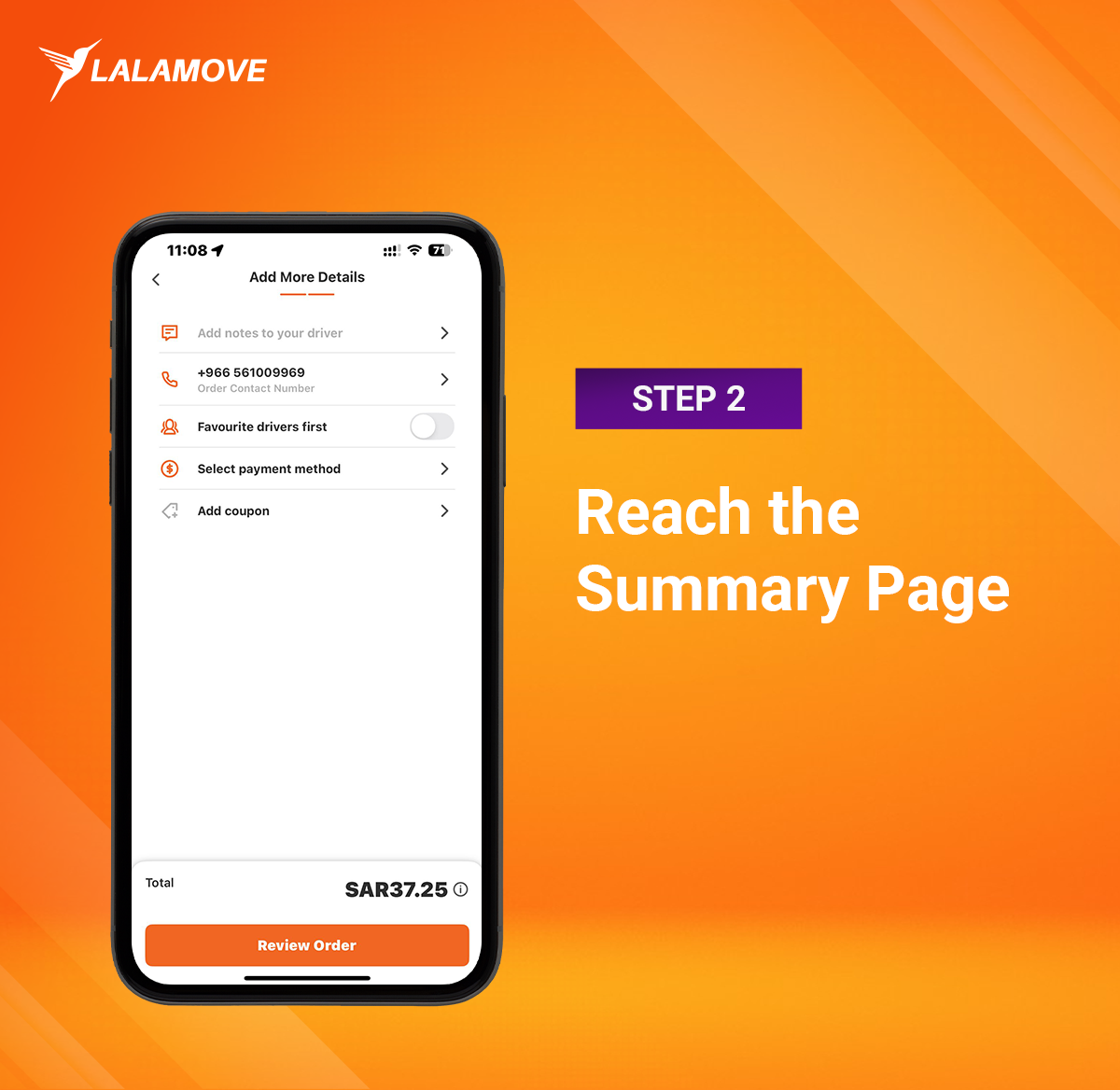
Step 2: Reach the Summary Page
Once you’ve added your delivery details and tapped "Next", you’ll arrive at the summary screen. Here, you can:- Add notes to your driver
- Choose your payment method (Cash or Wallet)
- Tap on "Add Coupon" to enter or explore coupon options
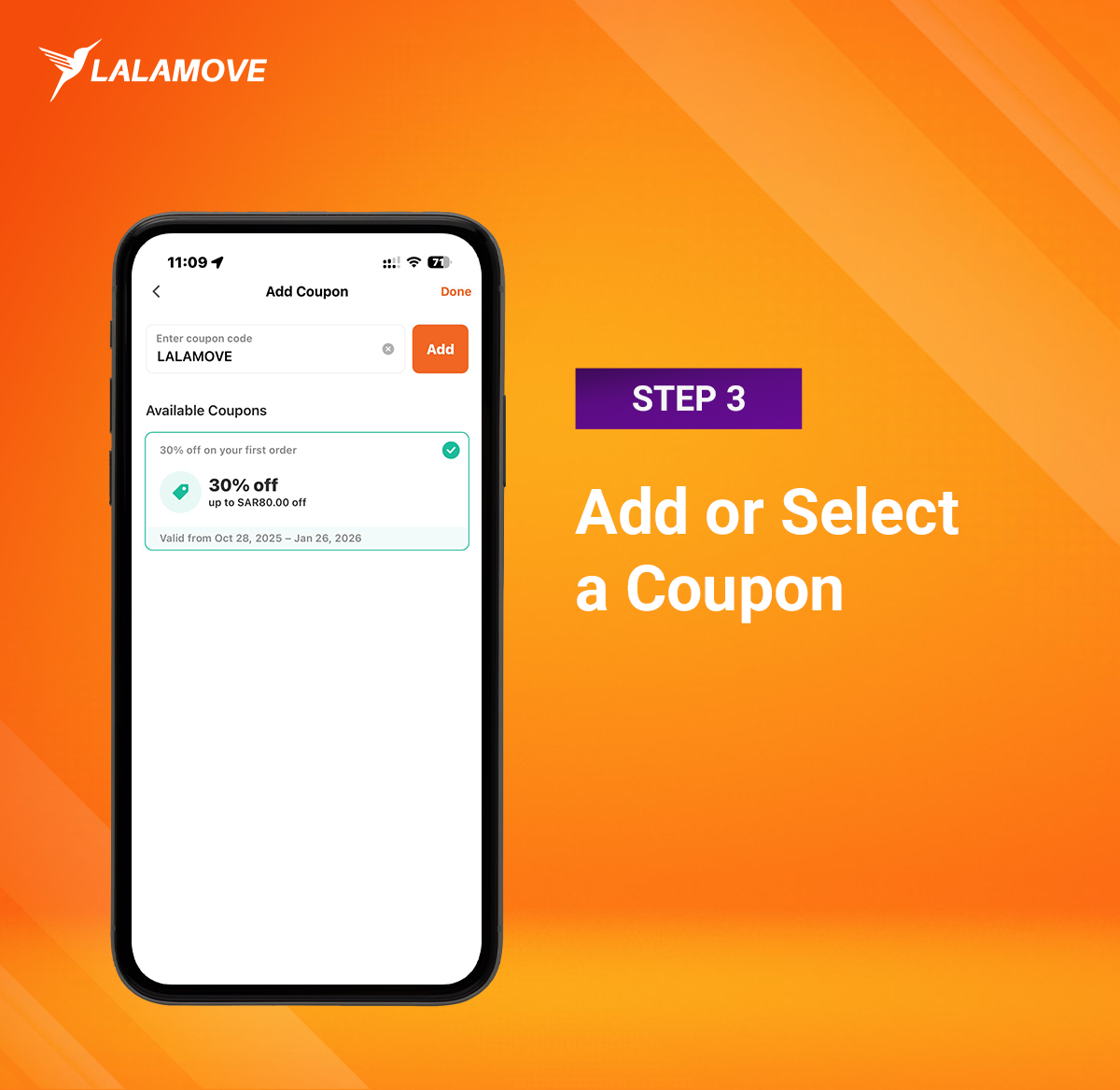
Step 3: Add or Select a Coupon
Tap "Add Coupon" to:Type in a promo code if you already have one
Or browse available coupons listed for your account
Once selected, the discount will be reflected in your total.
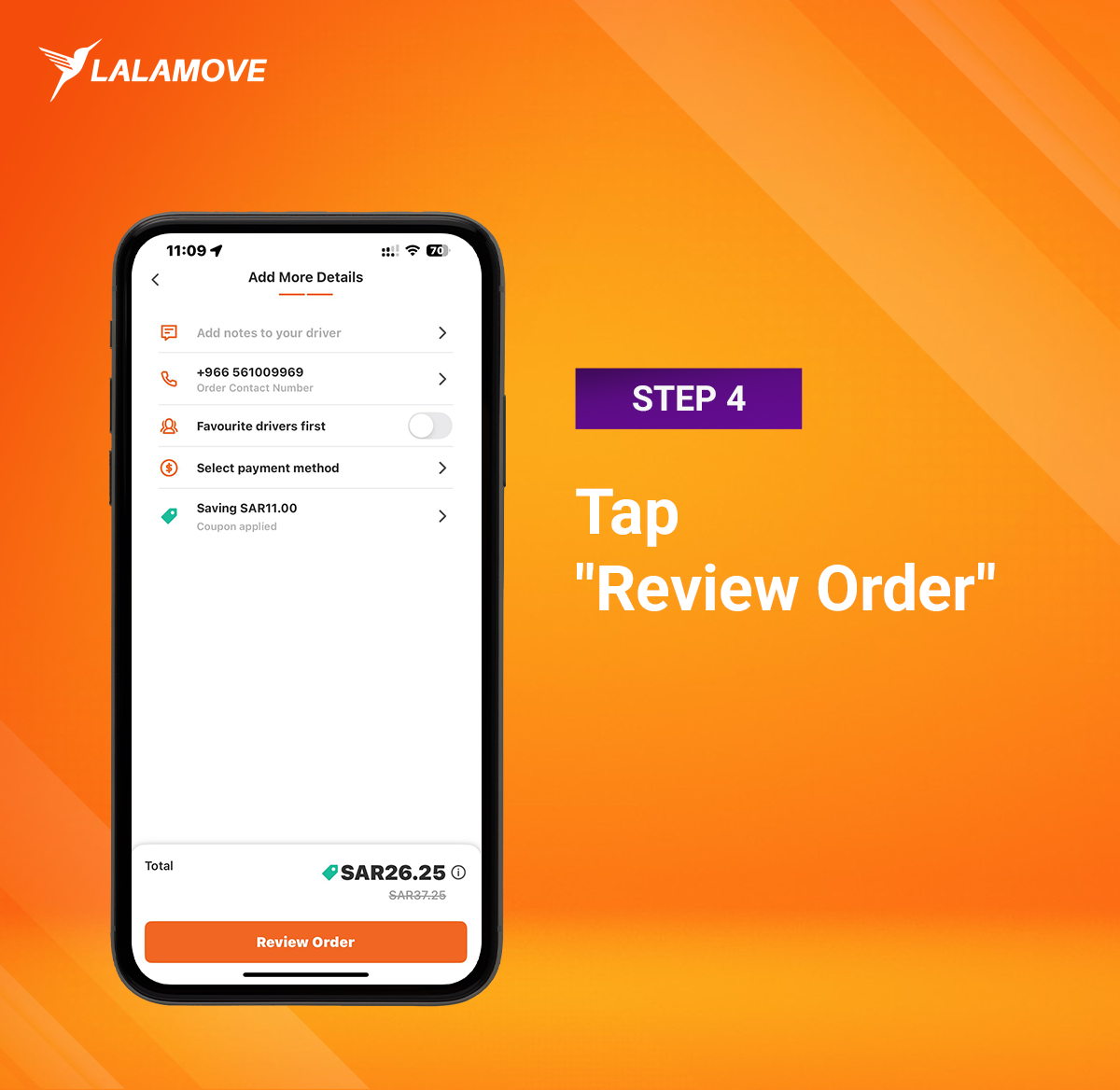
Step 4: Tap "Review Order"
After your coupon is applied, tap "Review Order" at the bottom of the screen. This will take you to the final confirmation page.Step 5: Place the Order
Check that all the details are correct, then tap "Place Order" to complete your booking. Your coupon savings will automatically apply.Tips for Smooth Savings
Coupon codes are case-sensitive Not all codes apply to every delivery type You can use one code per transactionWhere to Find Promo Codes?
Watch out for offers via:In-app banners
Push notifications
Social media @LalamoveKSA
Email campaigns
Wallet section of the app
Save More with Every Order
Welcome Offer for New Users! Enjoy a special discount on your very first delivery.Use code LALAMOVE at checkout and get 30% off your first order.
Next: Read our blog about Lalamove


