


Whether you're sending a package across town or scheduling a bulky delivery, Lalamove makes it fast and easy. Here’s a step-by-step guide to help you place your first delivery order using the Lalamove app in Riyadh, Saudi Arabia.
Let’s get started!
1. Select "Delivery"
Open the Lalamove app and select "Delivery" as your service type.
.png?width=1200&height=1168&name=45%20(1).png)
2. Enter Pick-Up & Drop-Off Points
Type in your pick-up location and drop-off address. You can also save frequent locations for future use.
.png?width=1200&height=1168&name=46%20(1).png)
3. Choose Your Pick-Up Time
Need it delivered now or later? You can either:
-
Deliver Now for immediate service
-
Schedule your delivery for a specific time and date
.png?width=1200&height=1168&name=47%20(1).png)
4. Select a Vehicle Type & Add Services
Choose the vehicle that suits your delivery:
-
Sedan for small packages, groceries, food deliveries, flowers, and gifts
-
Pick Up Truck or Van for bulkier household items, medium-sized parcels, or multiple packages
-
Dyna 4 ton (Sides) for furniture, second-hand items, appliances, and small office relocations
-
Dyna 4 ton (Closed) for wholesale goods, construction material, and commercial transport needs
If available, you can also add Additional Services (like extra helper, toll handling, etc.) depending on your needs.
.png?width=1200&height=1168&name=48%20(1).png)
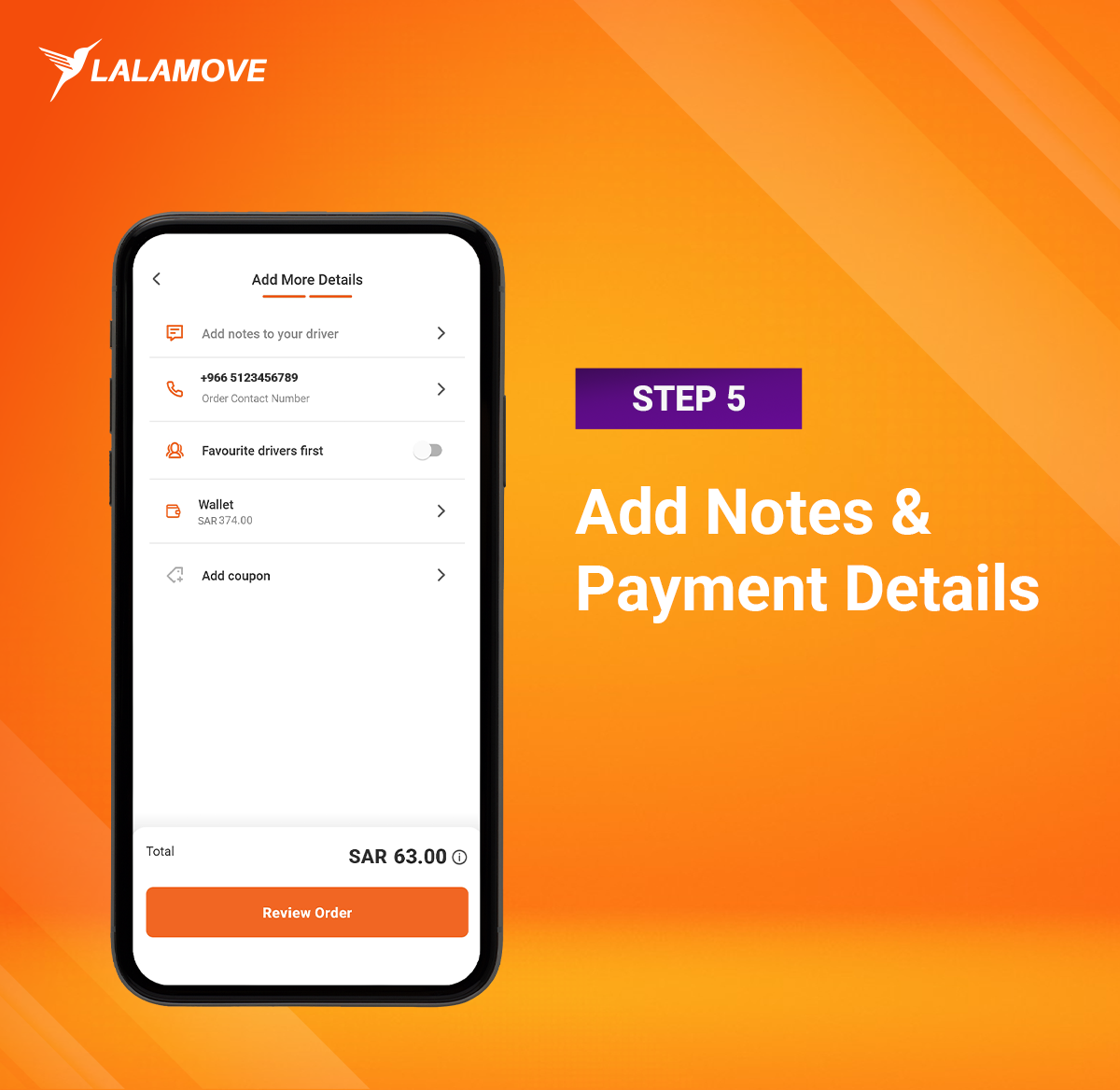
5. Add Notes & Payment Details
Before checking out, make sure to:
-
Add any important notes for the driver (e.g., "Call before arriving")
-
Choose your payment method: Cash or Card
-
Apply a coupon code (if you have one!)
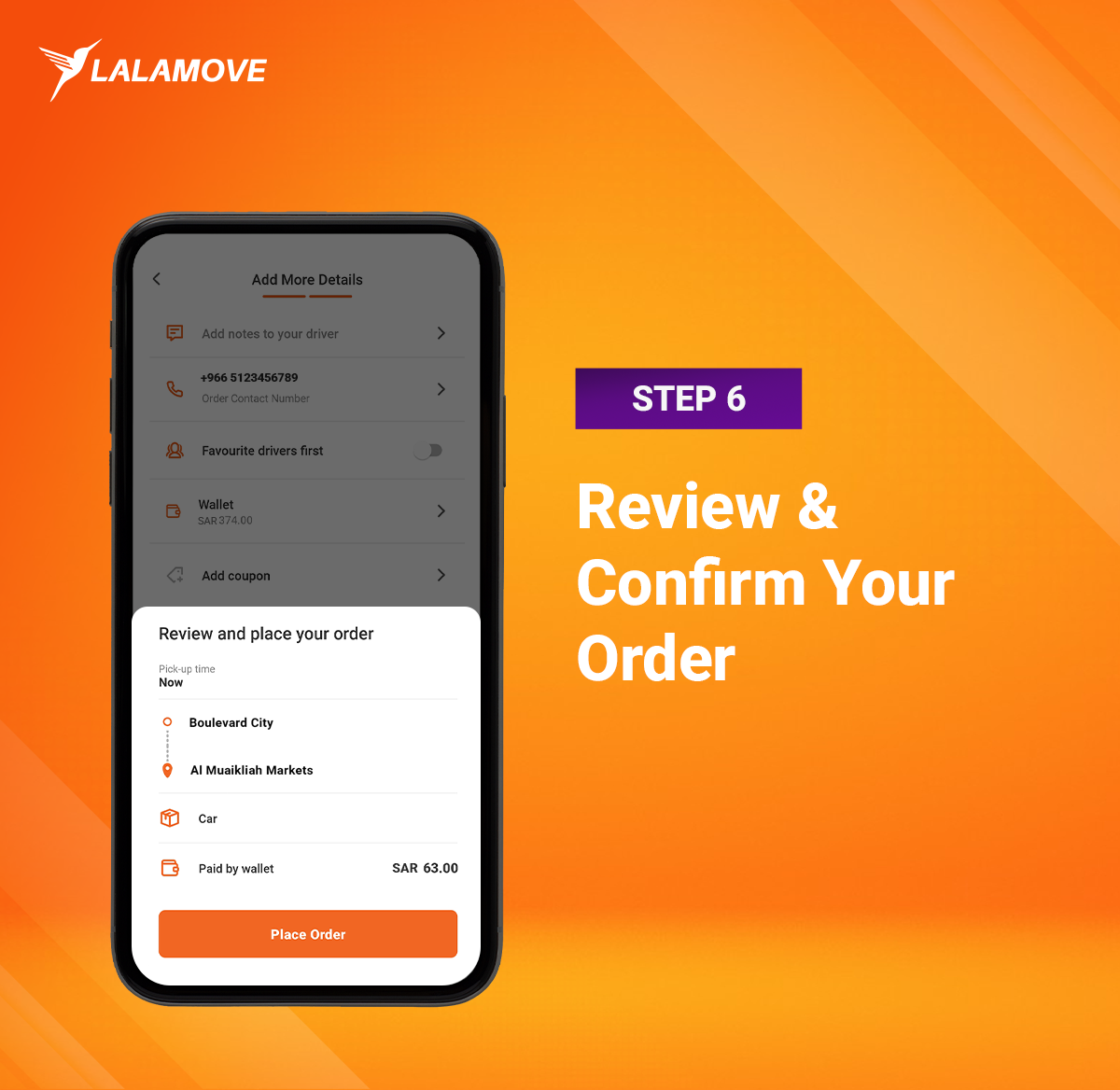
6. Review & Confirm Your Order
Double-check all your details, then hit "Review Order".
If everything looks good, tap "Place Order" and you're all set!
You're Done!
Your order is now in progress — you can track your driver in real time, receive status updates, and communicate easily through the app.
With Lalamove, sending anything across Riyadh has never been easier.
Need Help?
Our customer support team is just a tap away in the app if you need assistance at any point.
Ready to send your first delivery?
Next: Read our blog about Lalamove


