
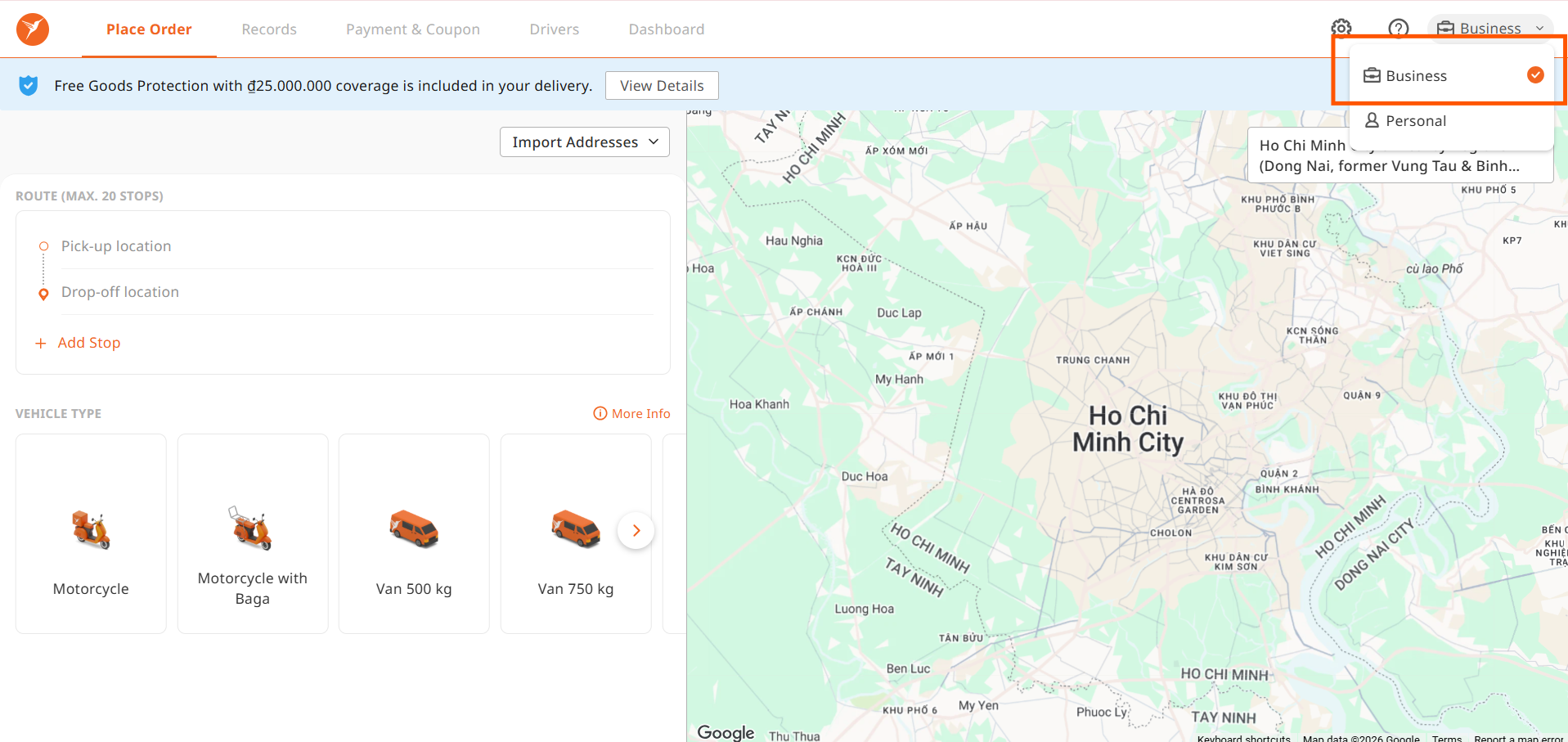
Sign Up for a Lalamove Business Account
Once you have a Business Account (if you don't have one yet, click here), log in to the API Partner Portal at https://partnerportal.lalamove.com/
Follow the steps below to start your API integration.
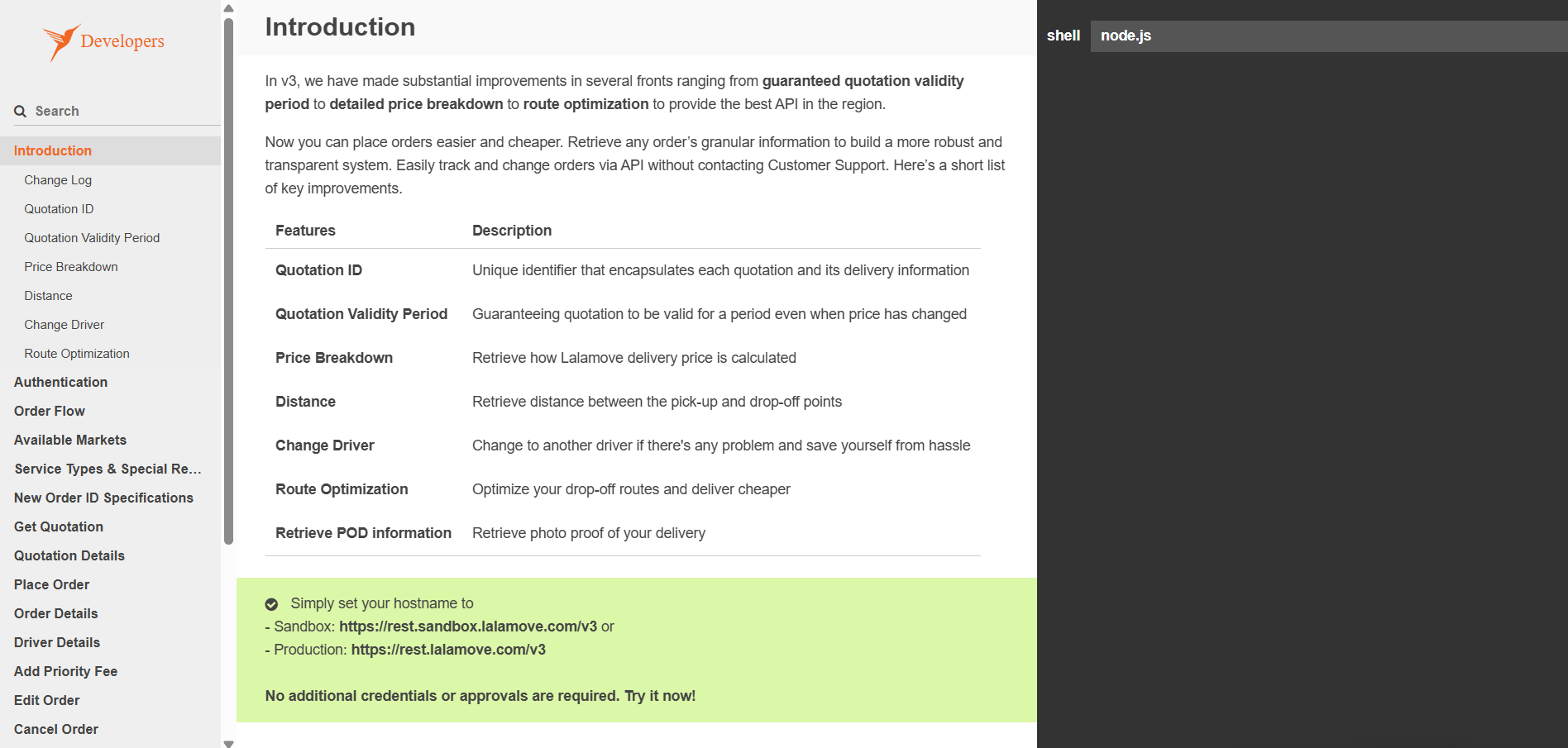
Step 1: Exploration of Lalamove API Ondemand Delivery Service
To quickly familiarize your development team with the technical side, please explore our official API Documentation at developers.lalamove.com. We recommend starting with the Tutorial section
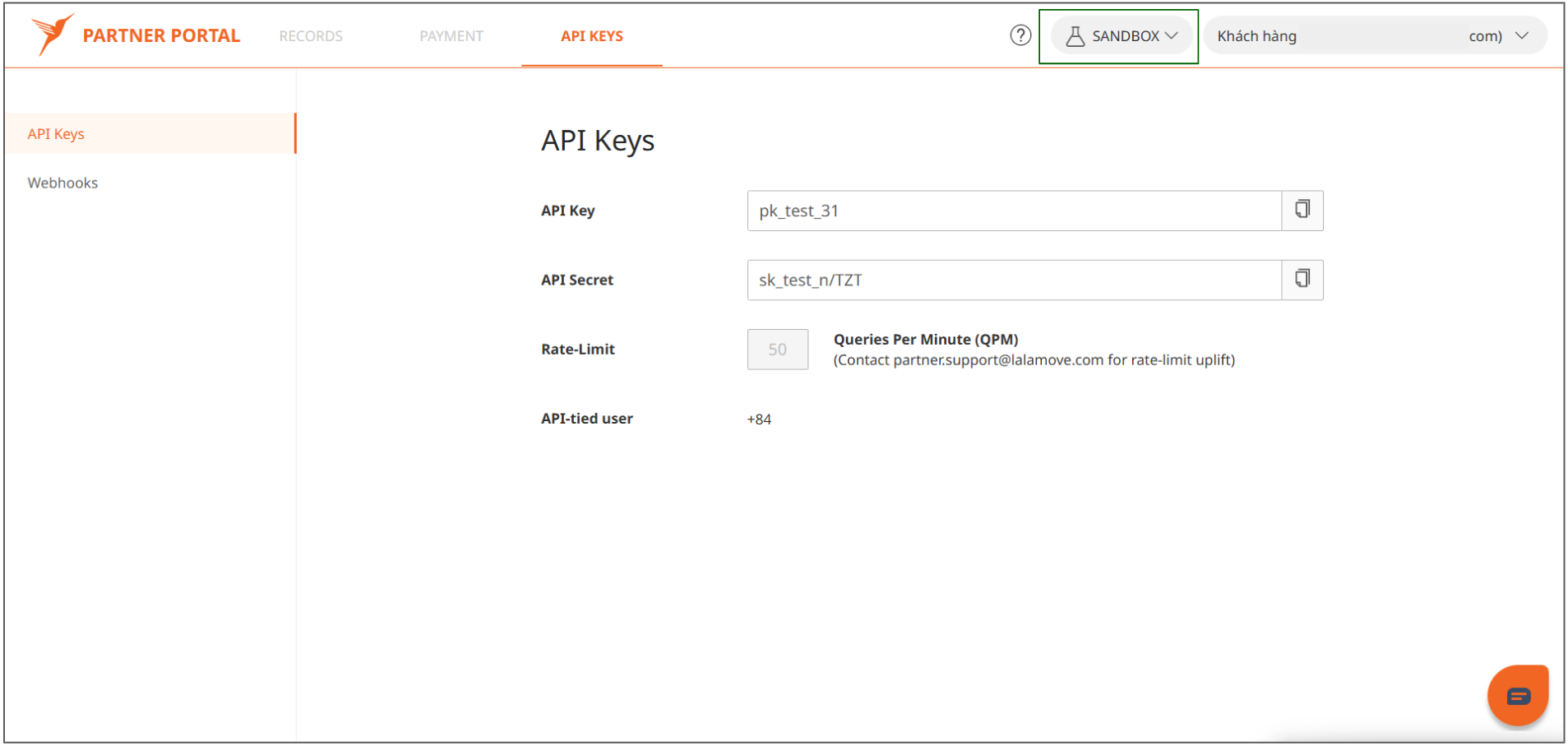
Step 2: Set Up the Sandbox Environment:
Log in to our Partner Portal at partnerportal.lalamove.com. Once registered, you can easily switch to the Sandbox environment and generate API keys for integration testing.
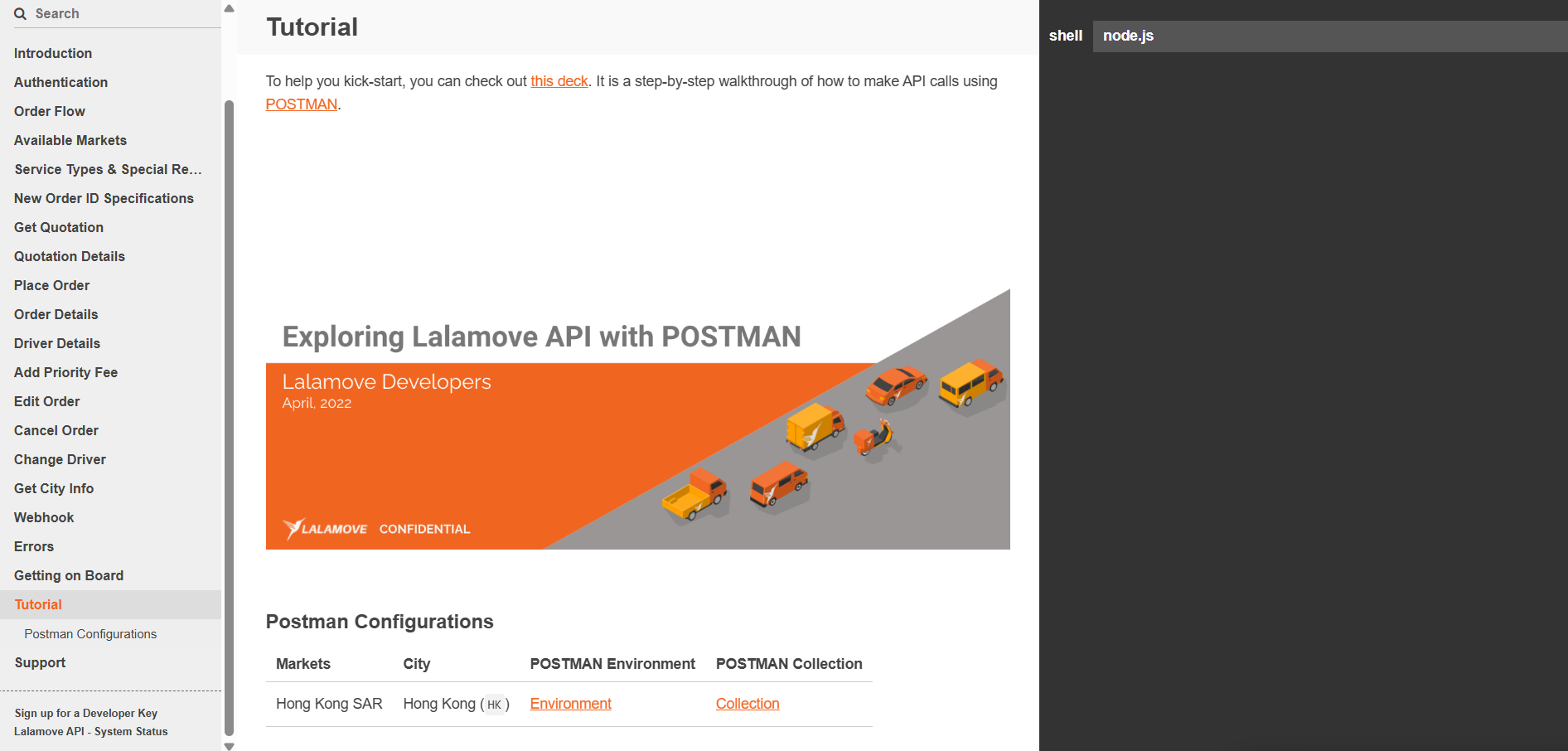
Step 3: Key API Features
The main API features we would like to highlight are:-
Order Flow Logic: Manage and optimize order lifecycles: developers.lalamove.com/#order-flow
- Multi-Stops: Lower cost-per-address by adding multiple drop-off points.
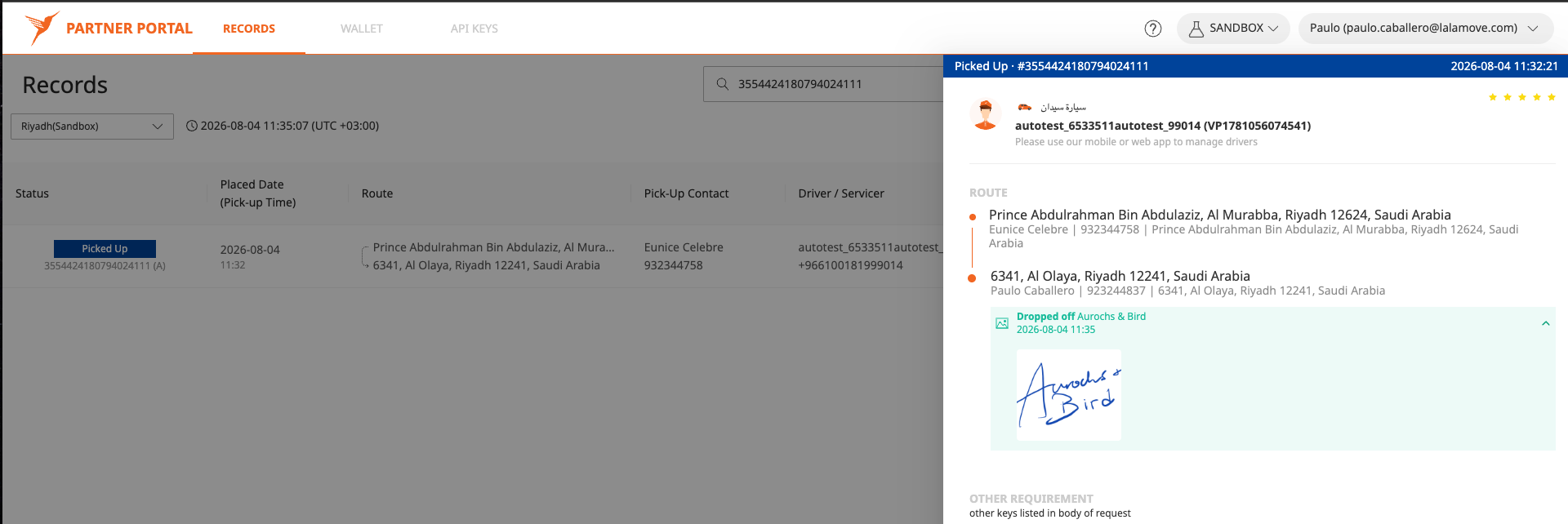
- Proof of Delivery (POD): Signature images are made available upon dispute to strictly comply with regional GDPR guidelines: developers.lalamove.com/#order-details-contact-proof-of-delivery
- Share Link: Embed a real-time tracking URL into your dashboard, post-checkout page, or send via email/SMS to boost transparency and enable direct communication with drivers: developers.lalamove.com/#order-details-contact-share-link
- Sample Code: Multi-language code snippets to help your engineering team speed up integration: developers.lalamove.com/#introduction-sample-code
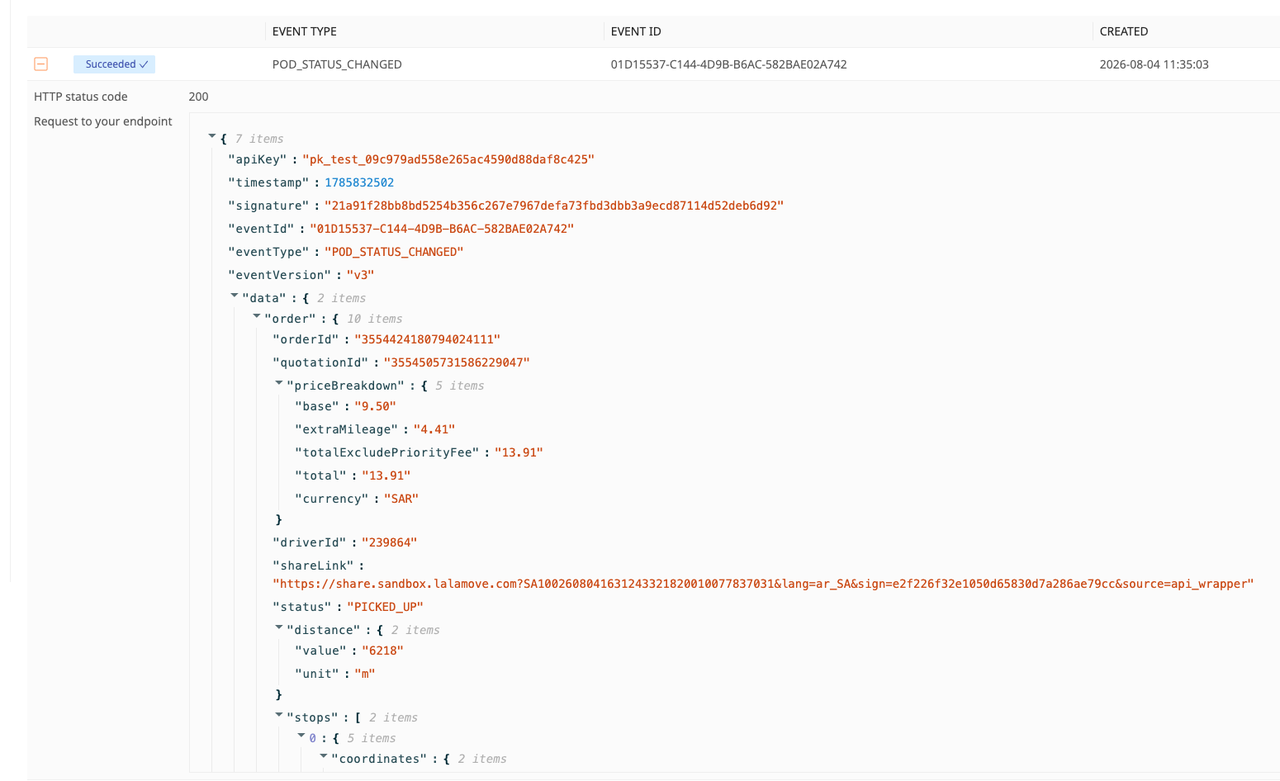
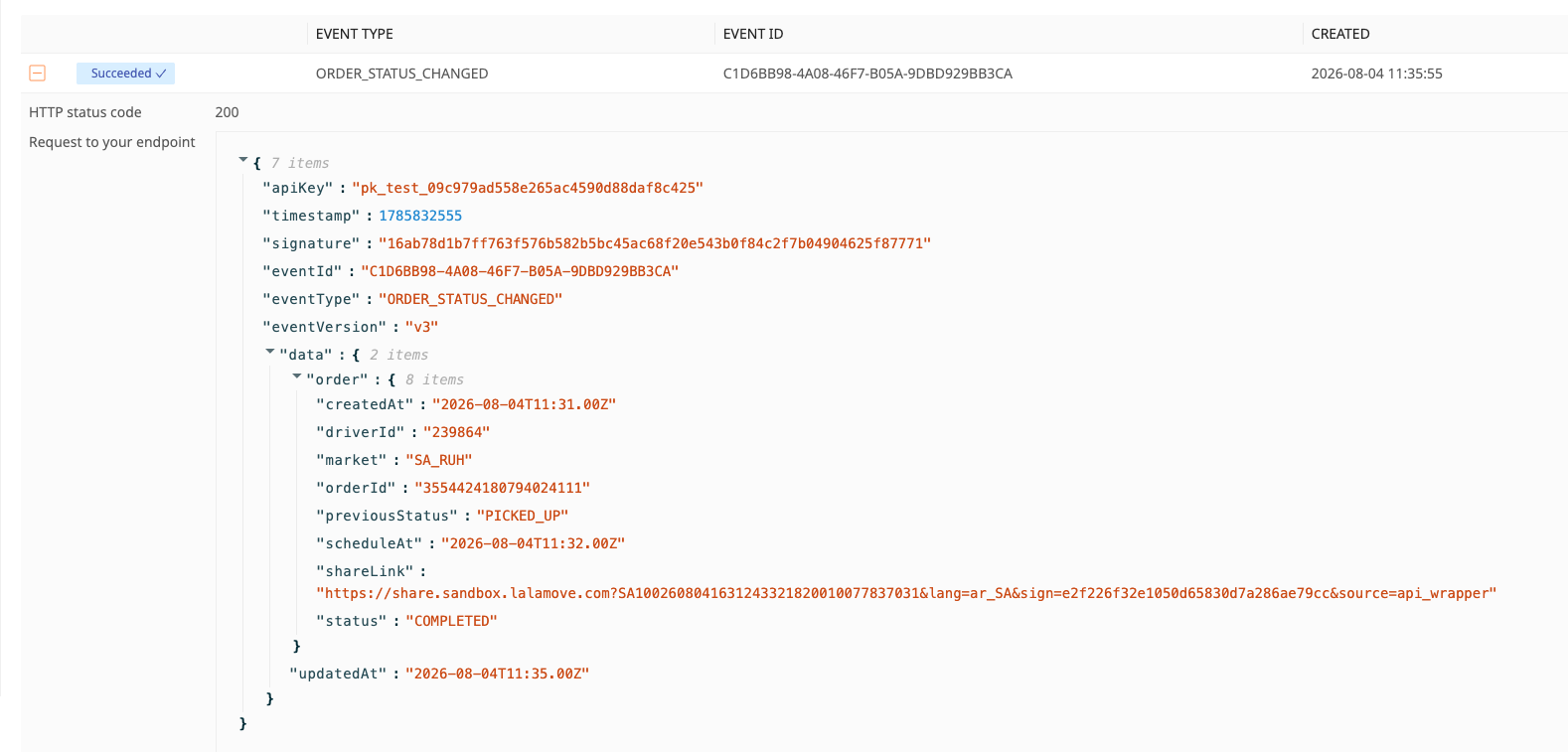
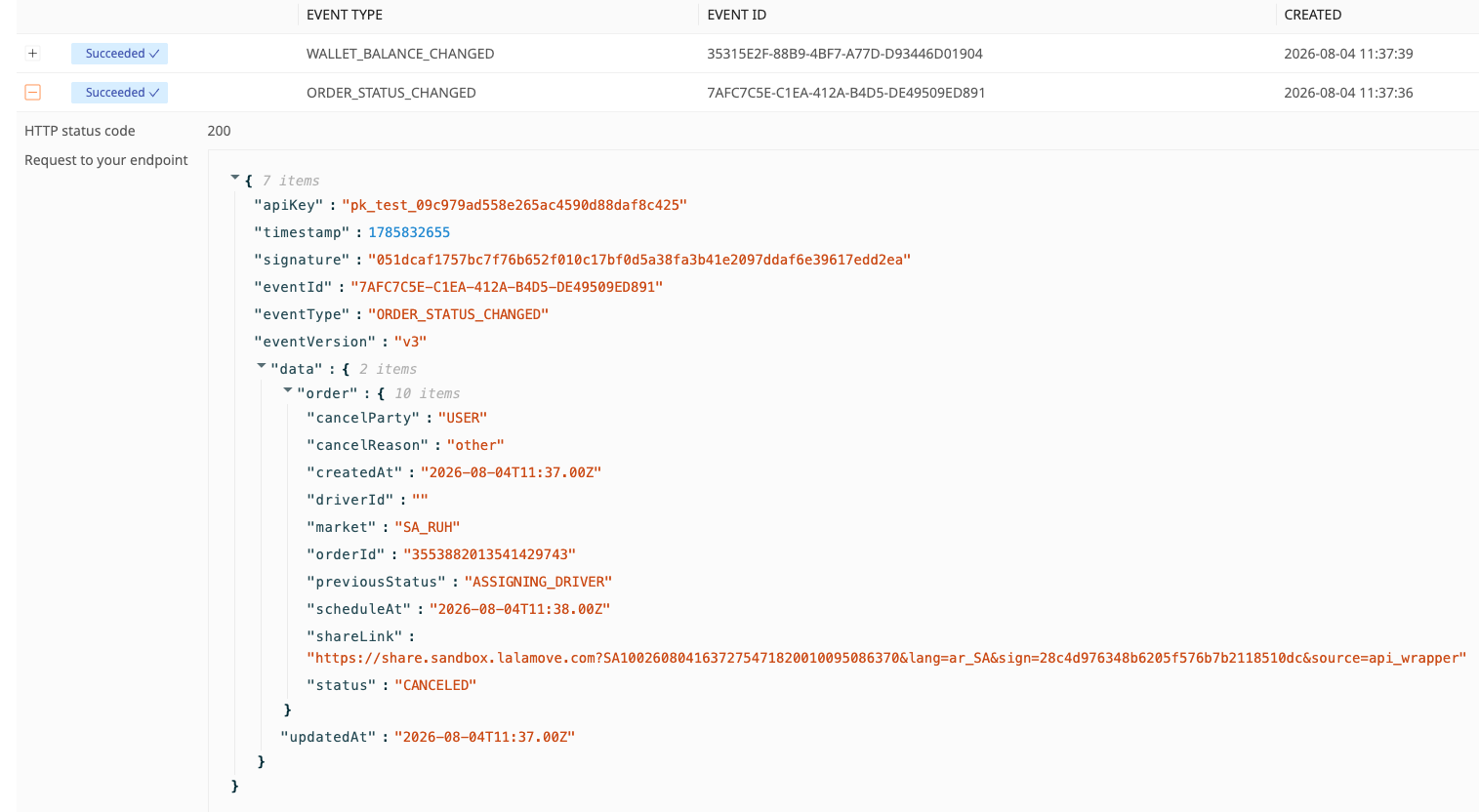
- Webhooks: Real-time order status updates.
Step 4: Self Exploratory Test (Order Status & Webhook)
For the inquiry regarding how to test order delivery status & webhook with status other than expire and assigning driver (ON_GOING, PICKED_UP, COMPLETED, REJECTED)See below for details
Expand to view more detail in step 4

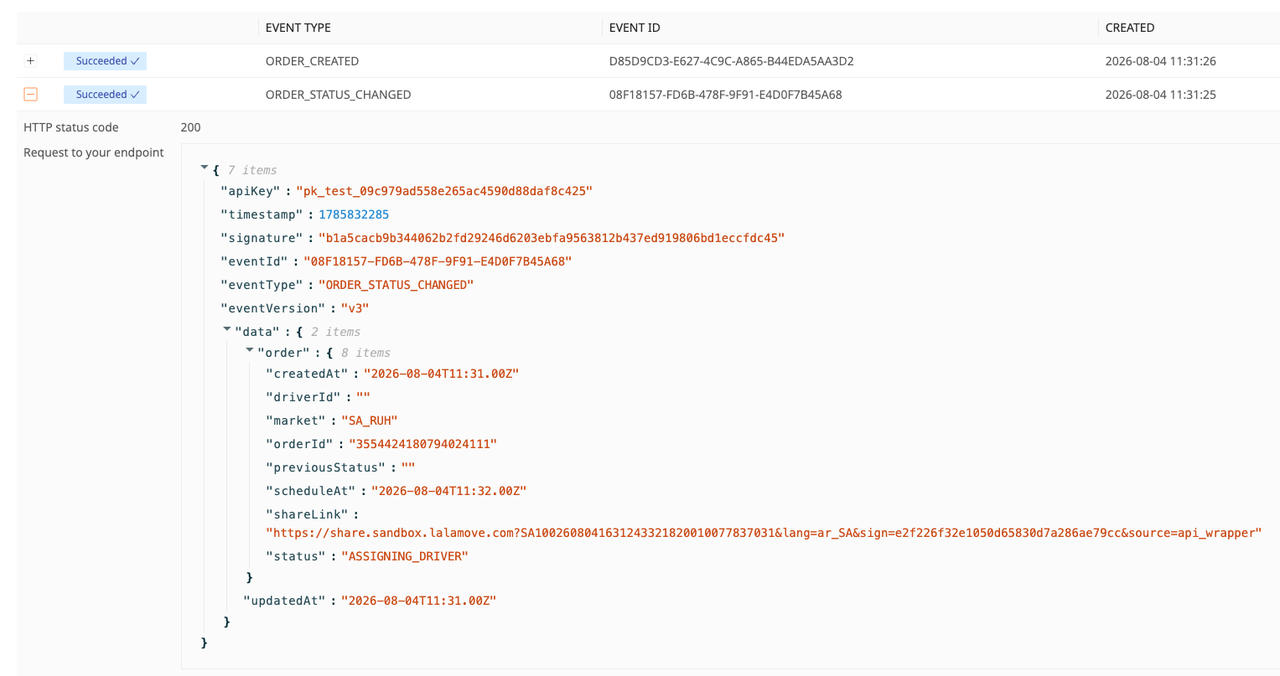


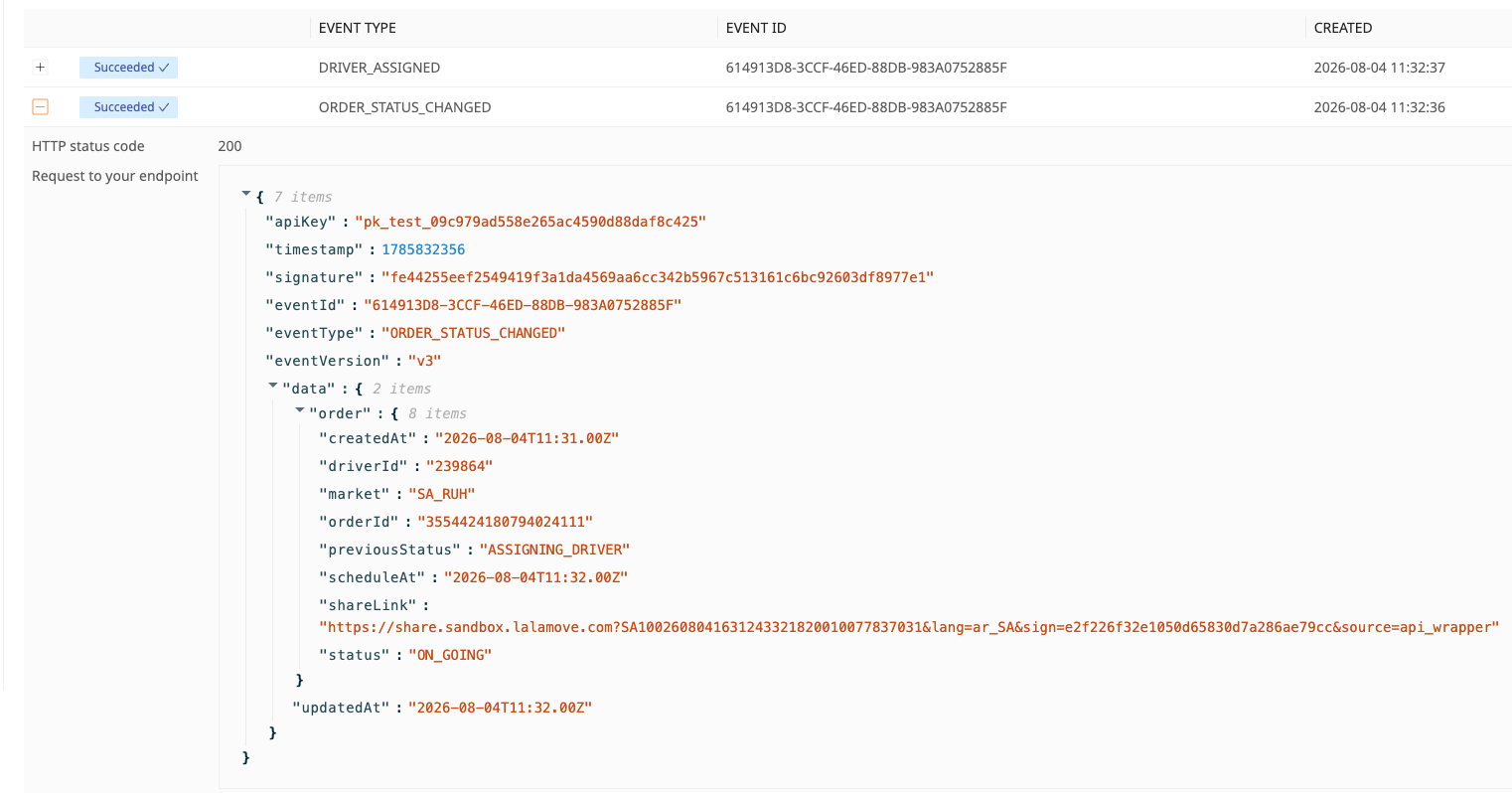


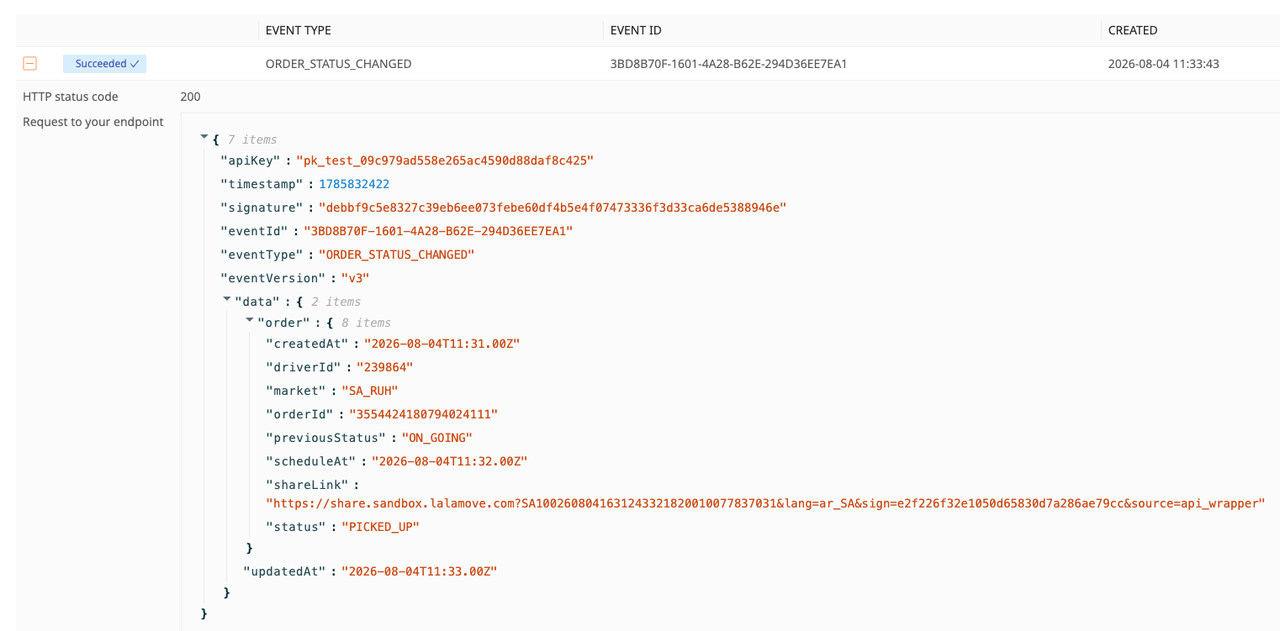
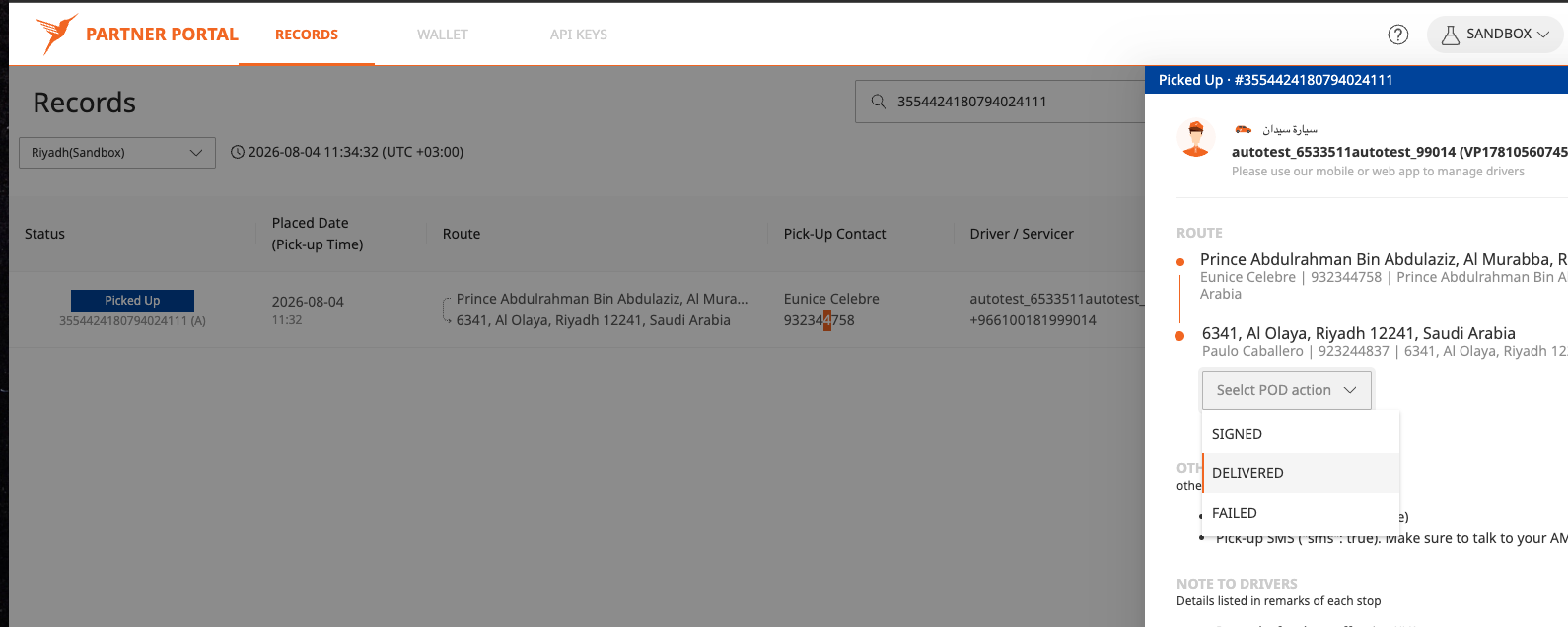


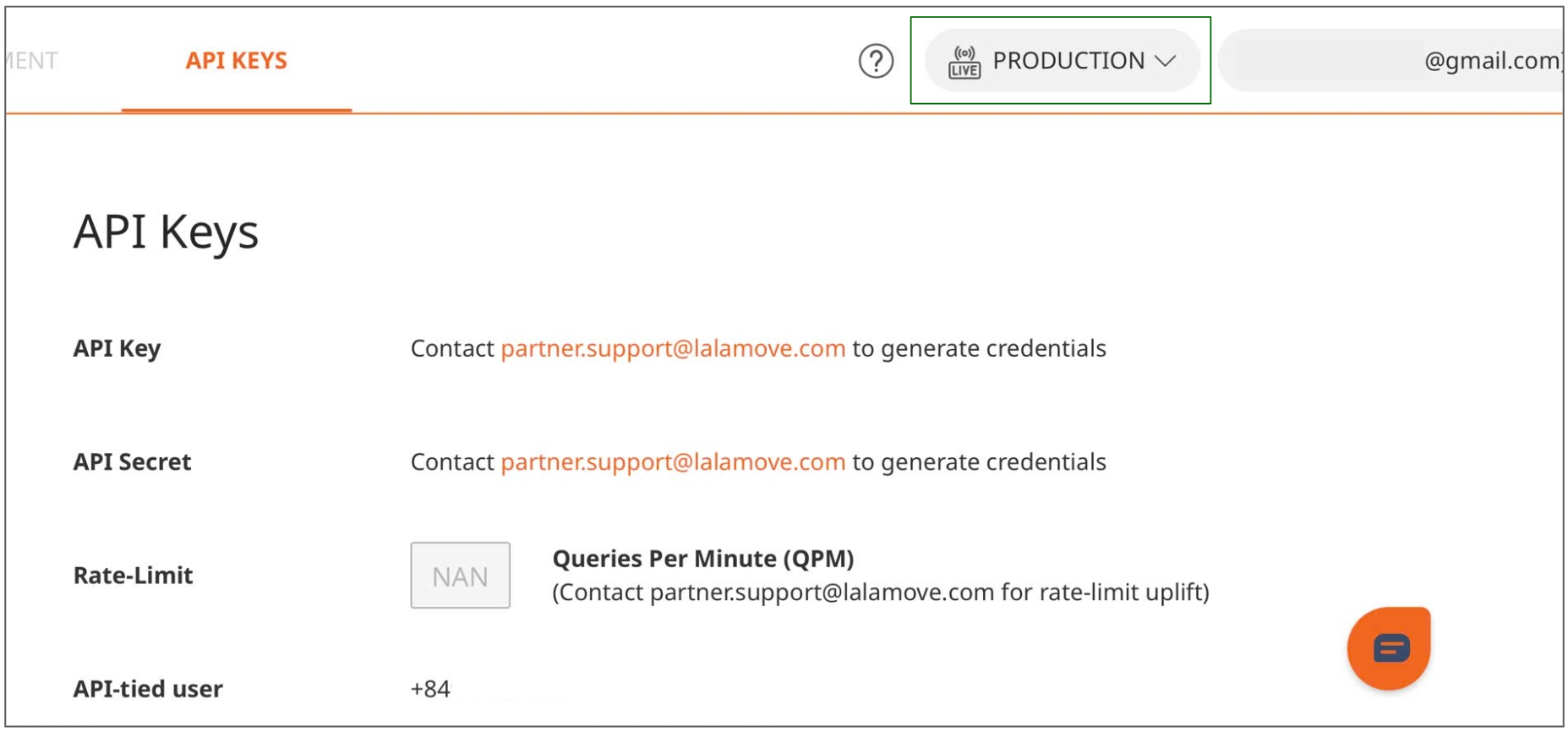
Step 5: Production
To place orders via API in the Production environment, you must first request your Production API Key and API Secret by following these steps:
1. Send an email to: partner.support.vn@lalamove.com
2. Subject: HỖ TRỢ API KEY - TÊN CÔNG TY - SĐT ĐĂNG KÝ TÀI KHOẢN DN LALAMOVE (Mean: API KEY REQUEST - [COMPANY NAME] - [REGISTERED PHONE NUMBER])
3. Body content: Request for Production API Key and API Secret and any questions or issues encountered during Sandbox testing.