VEHICLE STICKER
Boost your earnings when you stick with Lalamove!
Why should you paste a Lalamove vehicle sticker?

Exclusive Partner Benefits
Save more with our various partners when you stick with us.
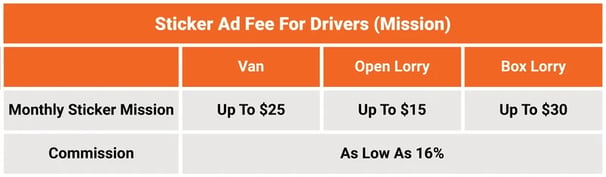
Monthly Sticker Mission
Receive a monthly sticker mission upon successful photo verification
Earn more as a Sticker Driver!
Enjoy monthly sticker mission and lower commission.
Refer to the table below for more information.
.png?width=606&height=179&name=stickerdriverbenefits_1037x380%20(1).png)
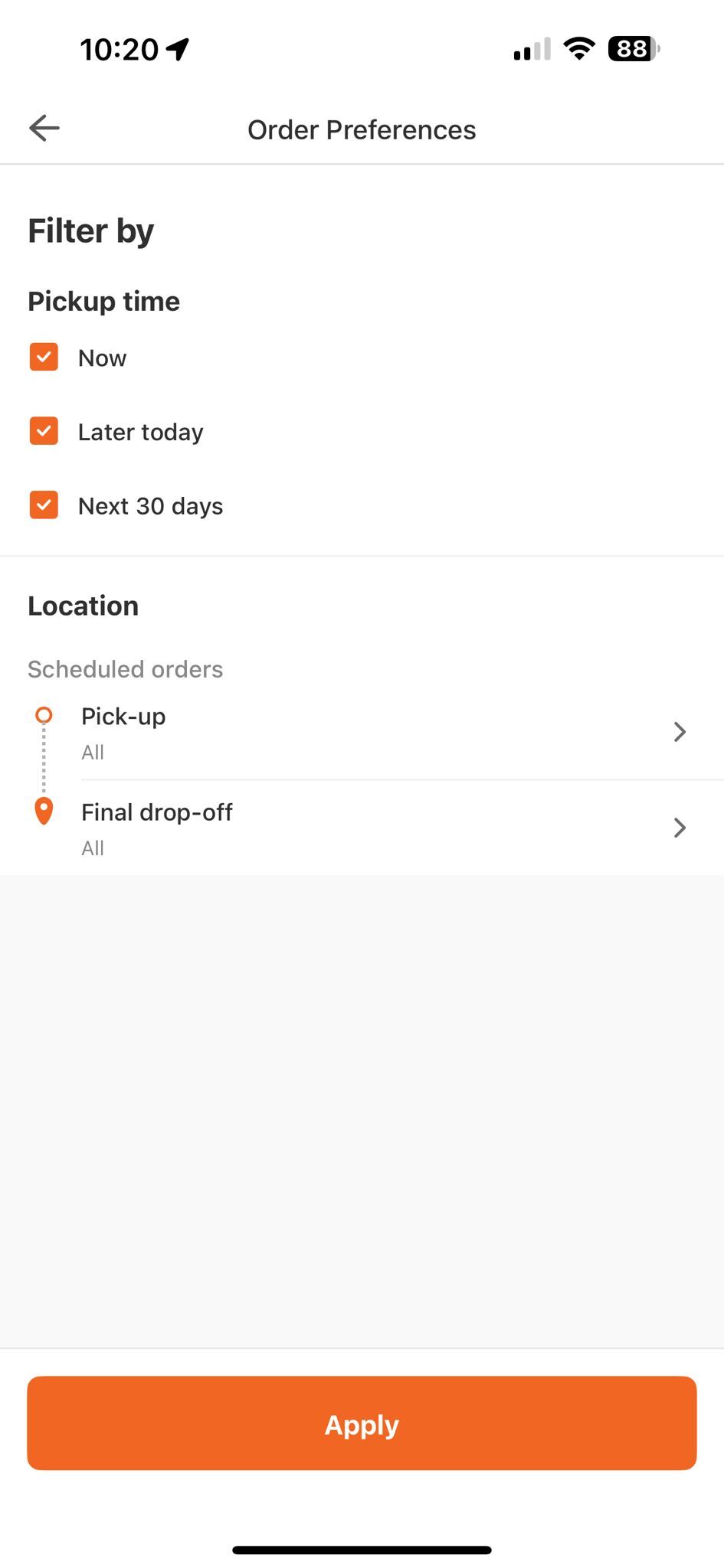
How to choose district delivery
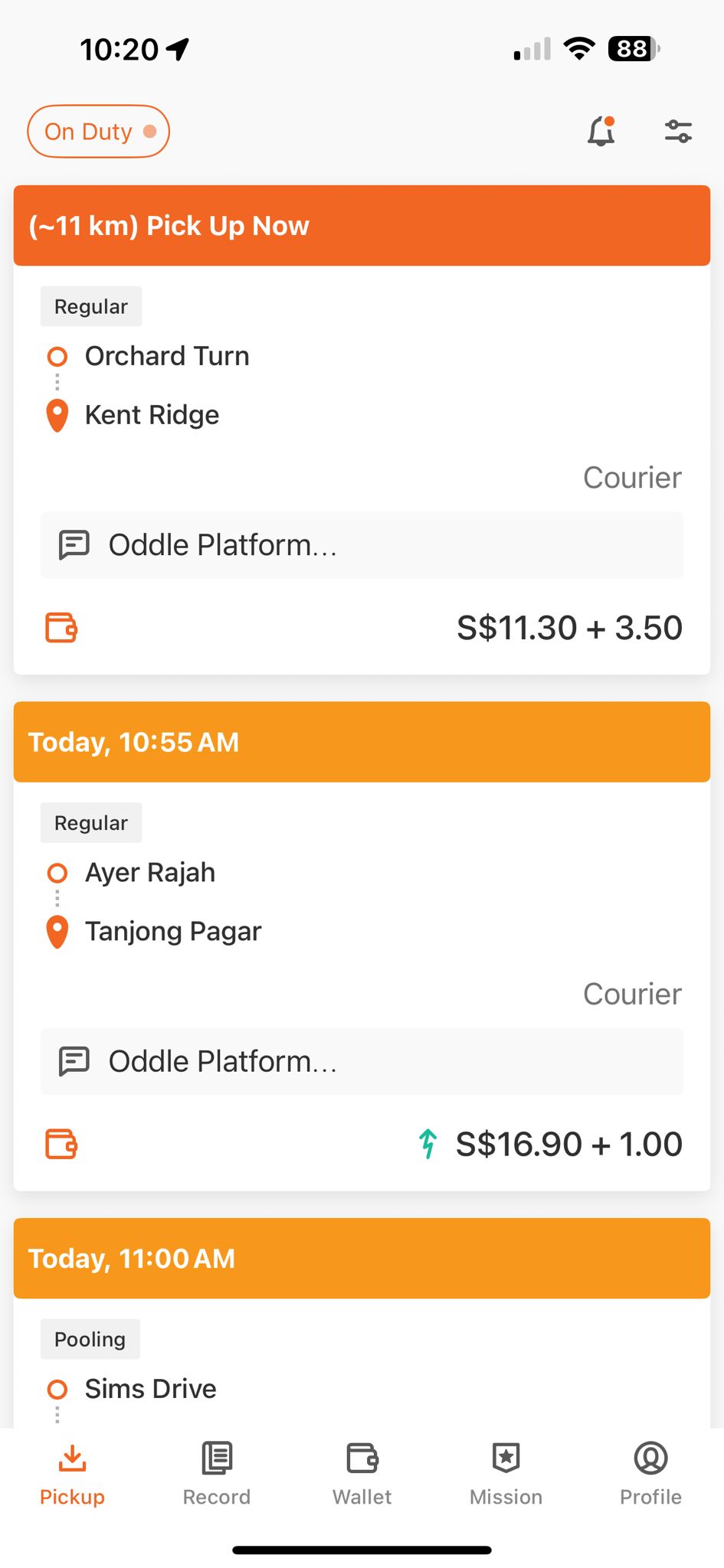
1
Open up Lalamove Driver App
2
Click on the top right corner and filter your order location preferences
1
Open up Lalamove Driver App
2
Click on the top right corner and filter your order location preferences
How to apply for Stickers
1
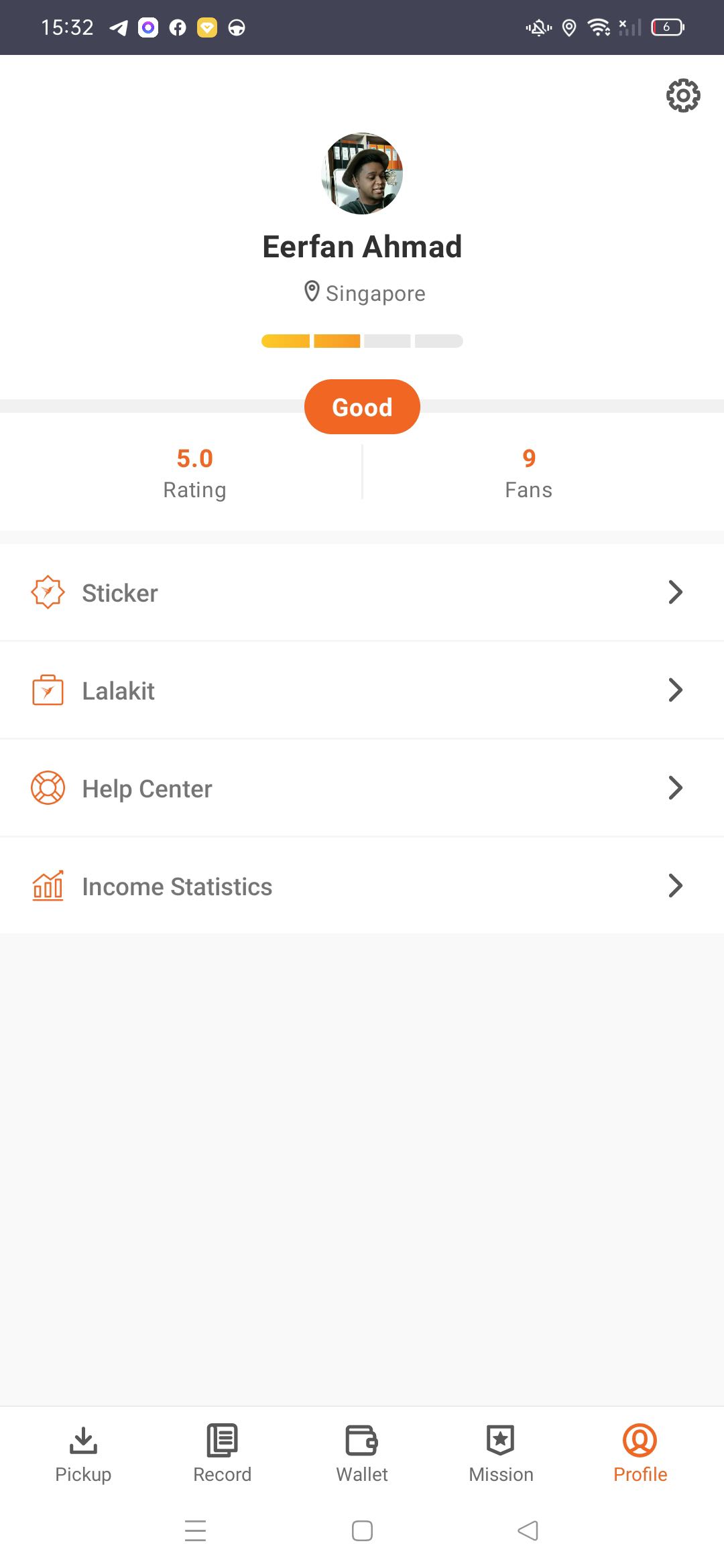
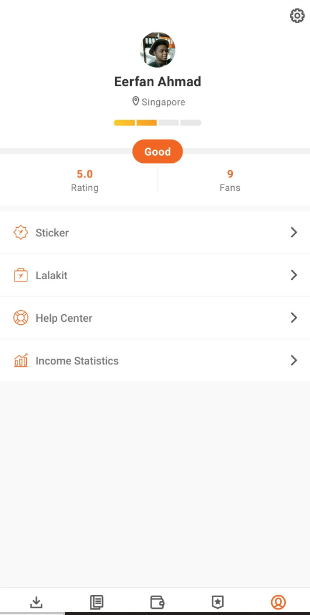
Head to the 'Sticker' tab under your Driver profile page
2
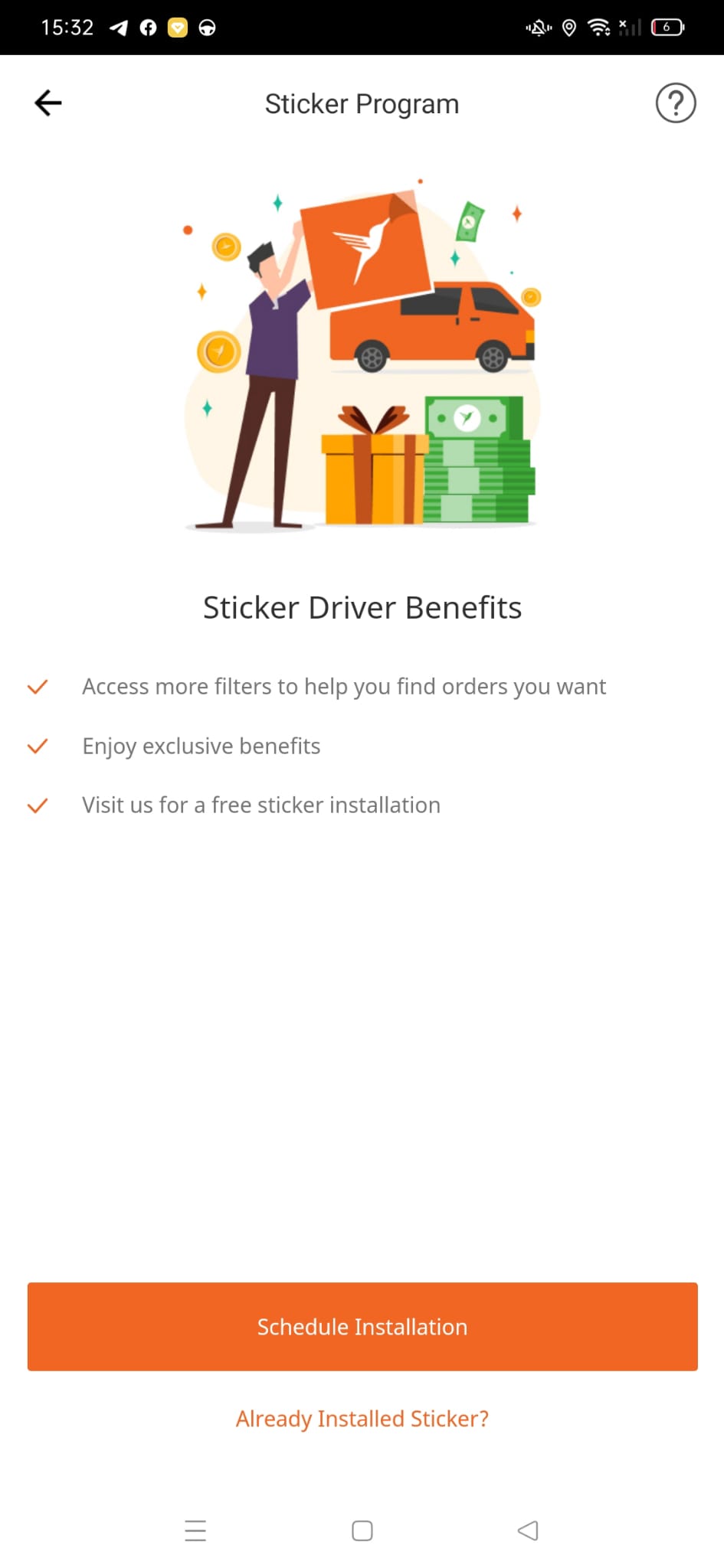
Click on 'Schedule Installation'
3
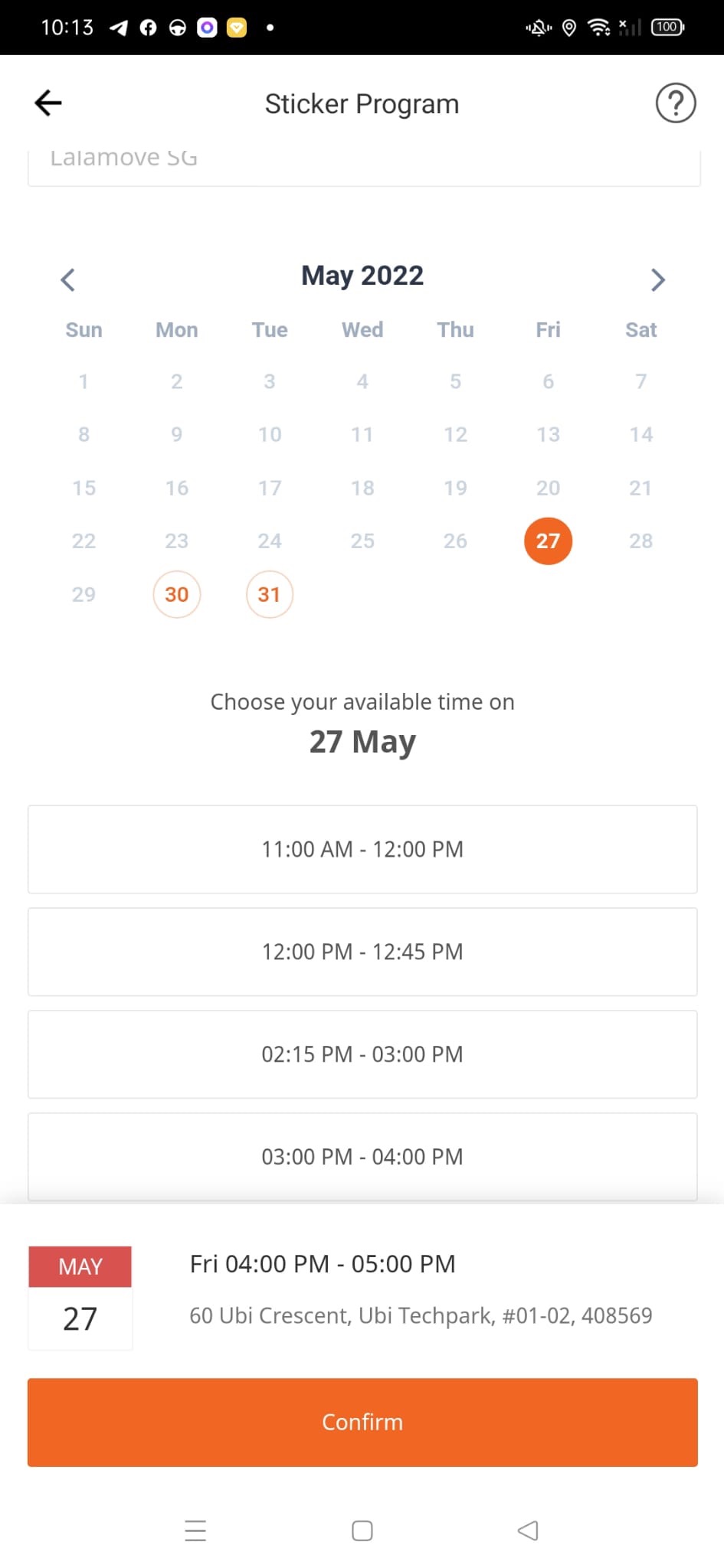
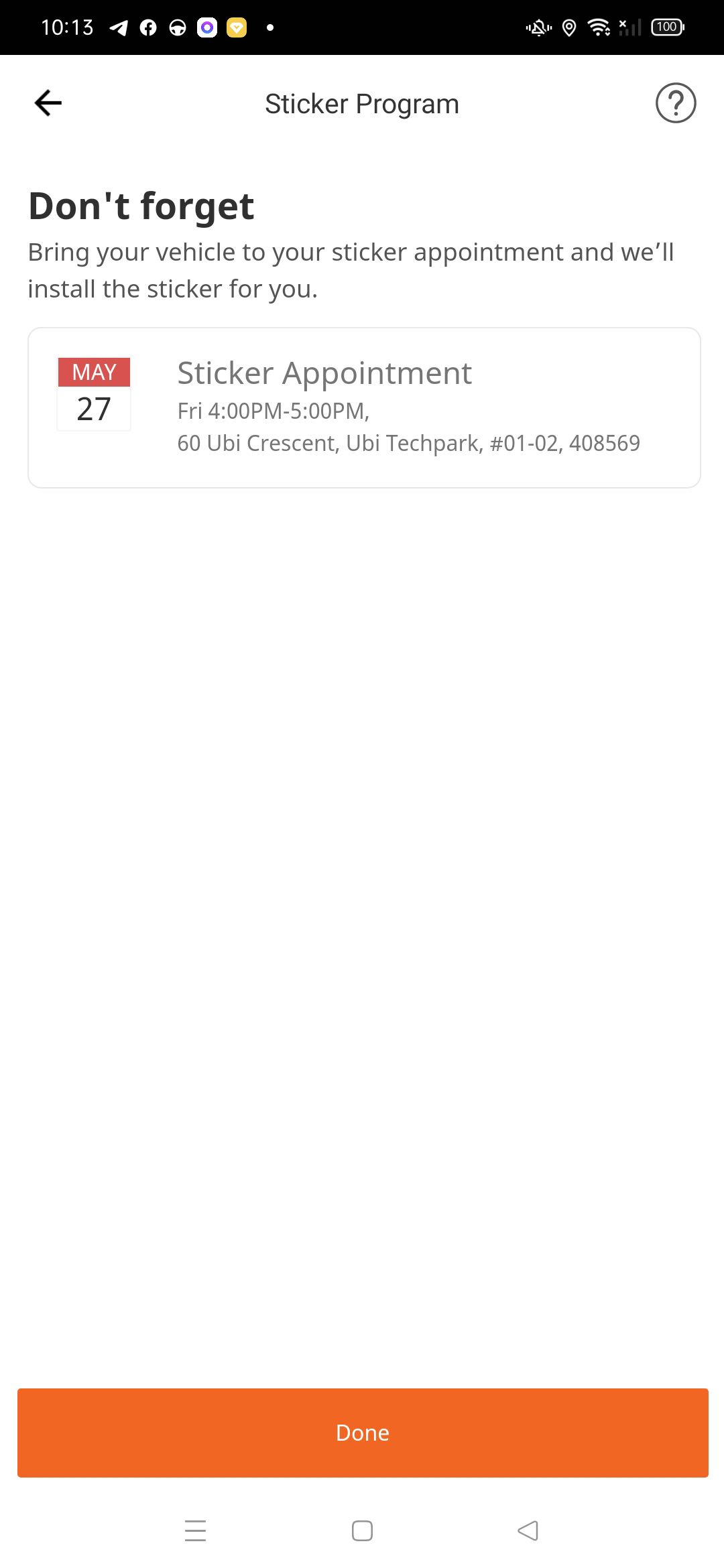
Choose the Date & Time for your sticker installation
4
Head down to our office for your sticker installation appointment
1
Head to the 'Sticker' tab under your Driver profile page
2
Click on 'Schedule Installation'
3
Choose the Date & Time for your sticker installation
4
Head down to our office for your sticker installation appointment
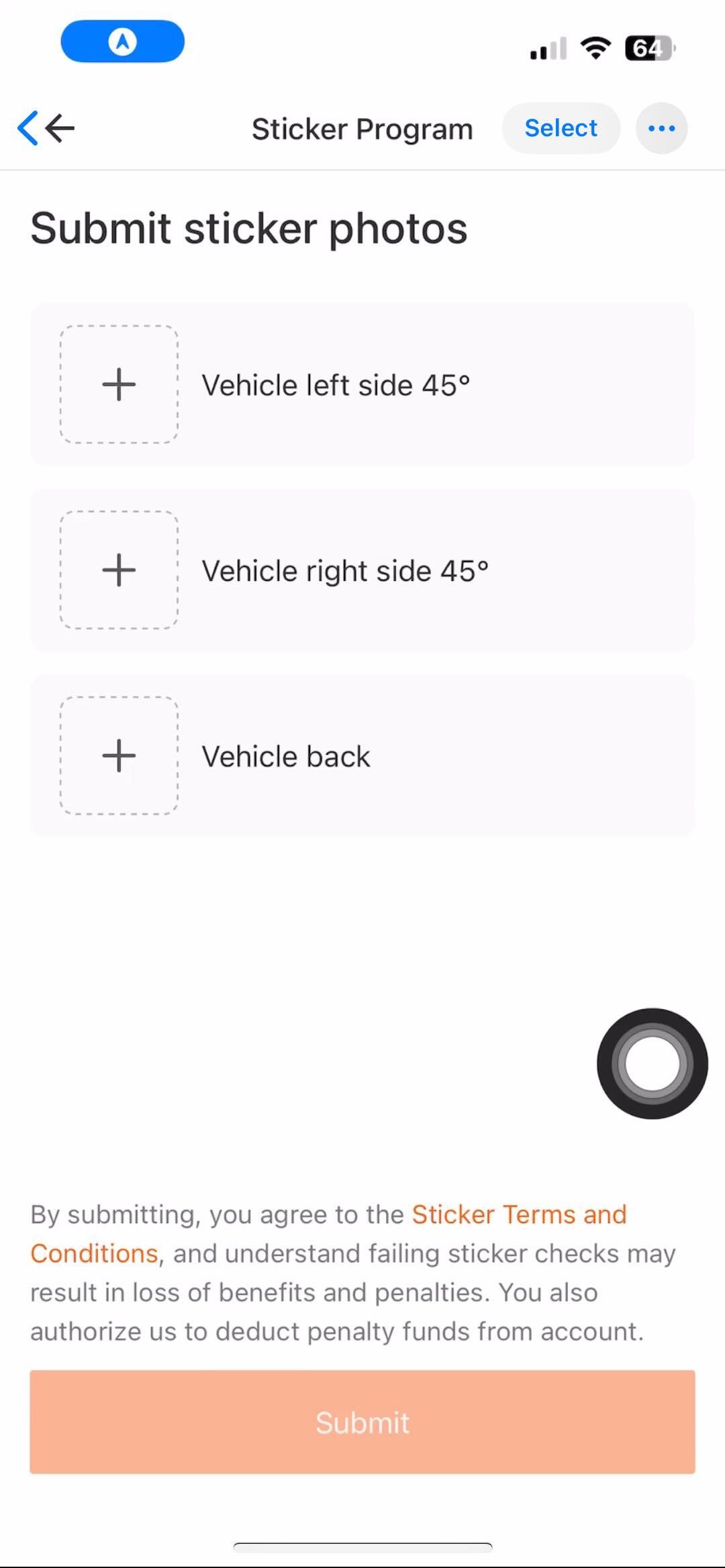
How to submit Sticker Photo
(For driver partners submitting sticker photo for the fist time)
1
Head to the 'Sticker' tab under your Driver profile page
2
Click on submit Sticker photo
3
Hold the camera in front of your vehicle for 5 seconds
4
The Driver App will automatically capture the vehicle photo and vehicle plate number
5
If both the vehicle photo and vehicle plate number is not detected, kindly take a photo of your vehicle with the vehicle plate number visible and submit your sticker retention check photo manually.
1
Head to the 'Sticker' tab under your Driver profile page
2
Click on submit Sticker photo
3
Hold the camera in front of your vehicle for 5 seconds
4
The Driver App will automatically capture the vehicle photo and vehicle plate number
5
If both the vehicle photo and vehicle plate number is not detected, kindly take a photo of your vehicle with the vehicle plate number visible and submit your sticker retention check photo manually.
How to resubmit monthly Sticker Photo
1
Head to the 'Sticker' tab under your Driver profile page
2
Click on 'Already Installed Sticker?'
3
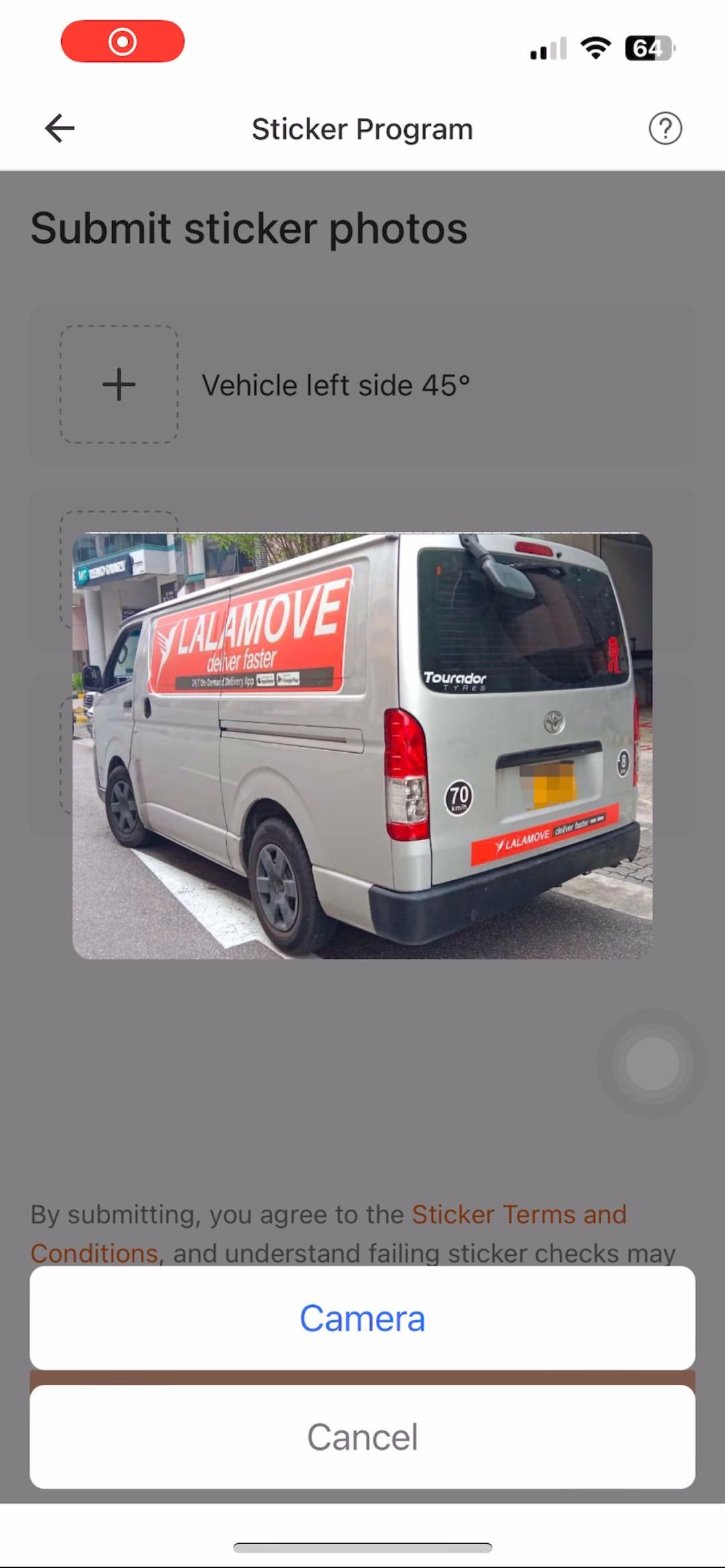
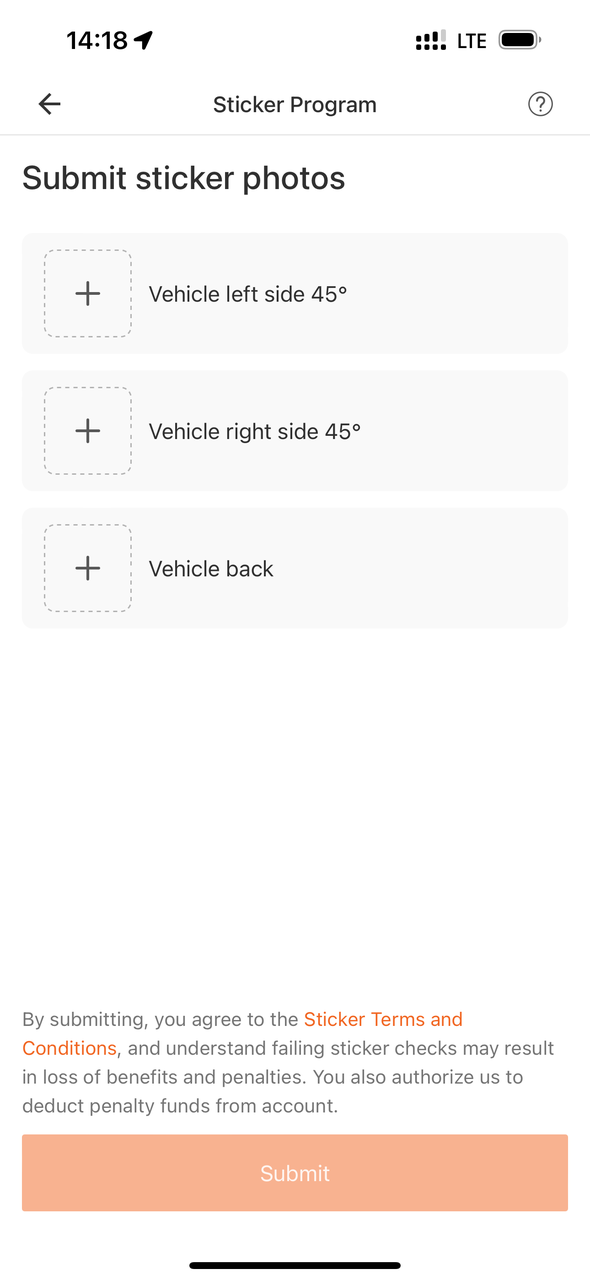
Submit sticker photos
1
Head to the 'Sticker' tab under your Driver profile page
2
Click on 'Already Installed Sticker?'
3
Submit sticker photos
How long do I have to leave the sticker on for?
Once the vehicle stickers have been applied, they must remain displayed on your vehicle for a minimum of 3 months.
What will happen if I remove the sticker?
There will be a penalty of $30 (Vans) and $70 (Lorries) for the breach of sticker agreement, which will be deducted from your driver wallet.
Can I choose the size of the sticker?
No. The size of the sticker is fixed and based on your vehicle type.